
Using Minehut as an External Server with Etheron Hosting
Minehut connecting to 1 external server.
It is possible to utilize an external server with Minehut by redirecting the Minehut IP to your server with us.
Minehut connecting to 1 external server.
-
Minehut Configuration
-
Log in to your game panel and choose the desired server.
-
On Minehut, enter the following details:
IP Address: Use the IP of your Minecraft server hosted by Etheron.
Proxy Type: Select Other.
DNS Record Type: Set it to Port.
Port: Enter the port number of your Minecraft server.
TCP Shield: Leave this as Not Configured.
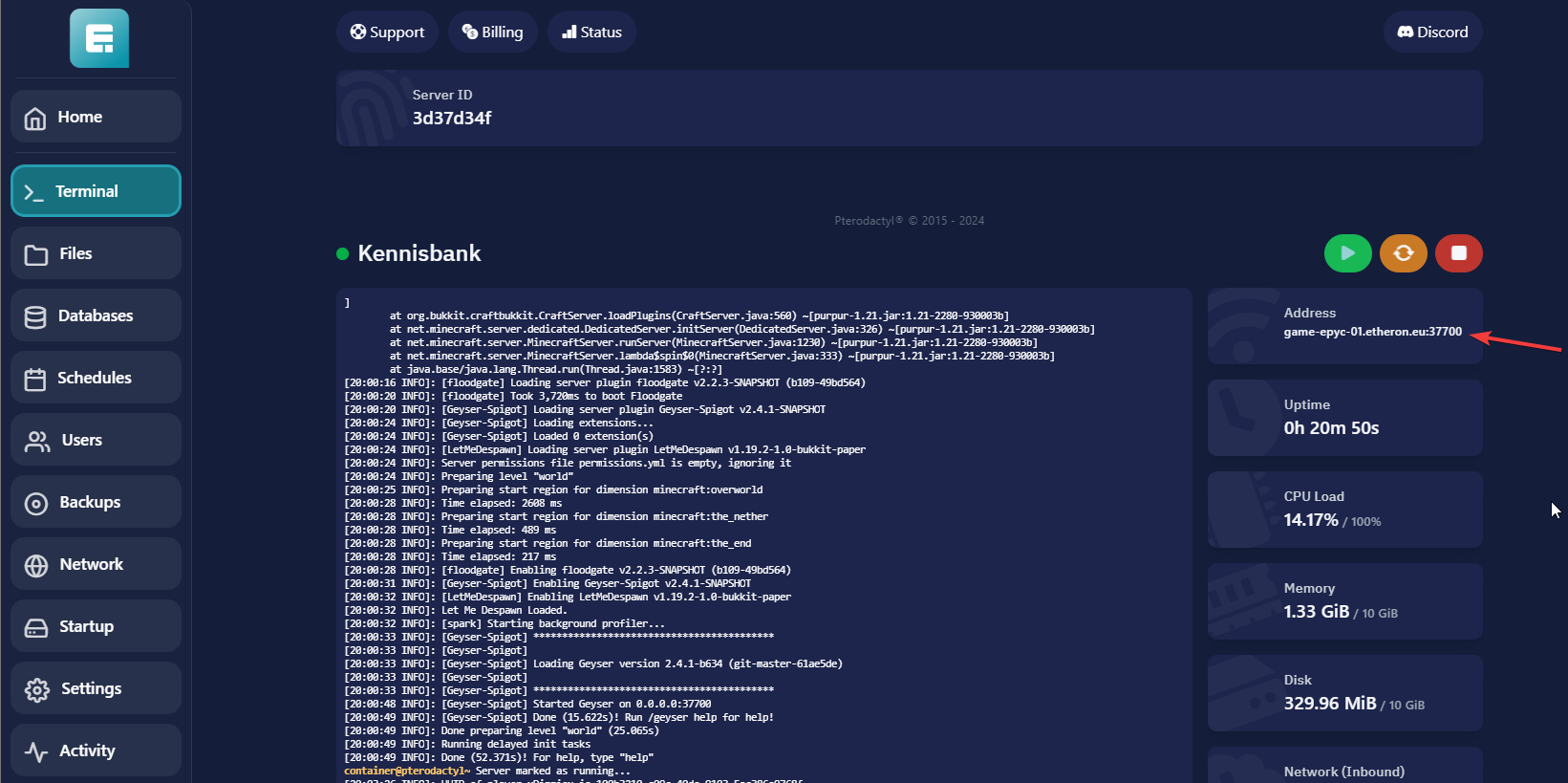
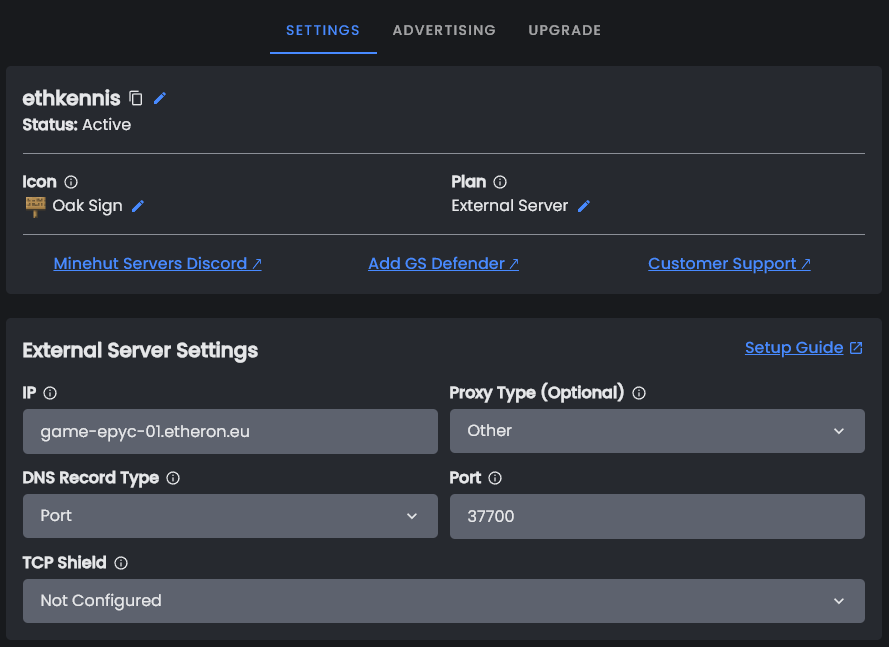
Save these settings and continue with your server with Etheron.
-
Configure Your Server on Etheron
-
Modify Server Properties:
Navigate to your server files.
Open the server.properties file.
change the enforce-secure-profile from true* *to false.
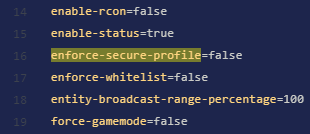
- adjust Paper settings:
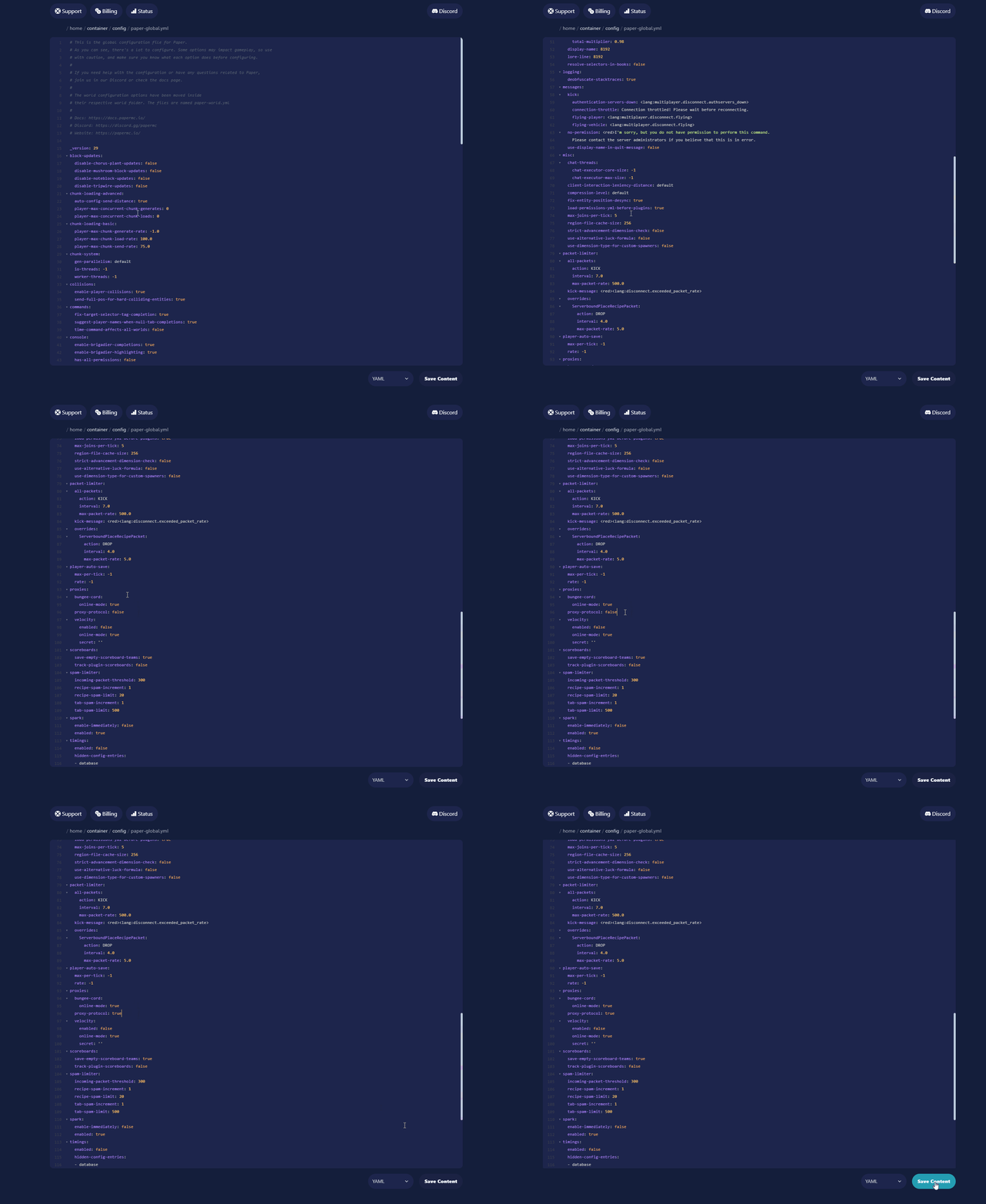
Go to the config folder and open paper-global.yml
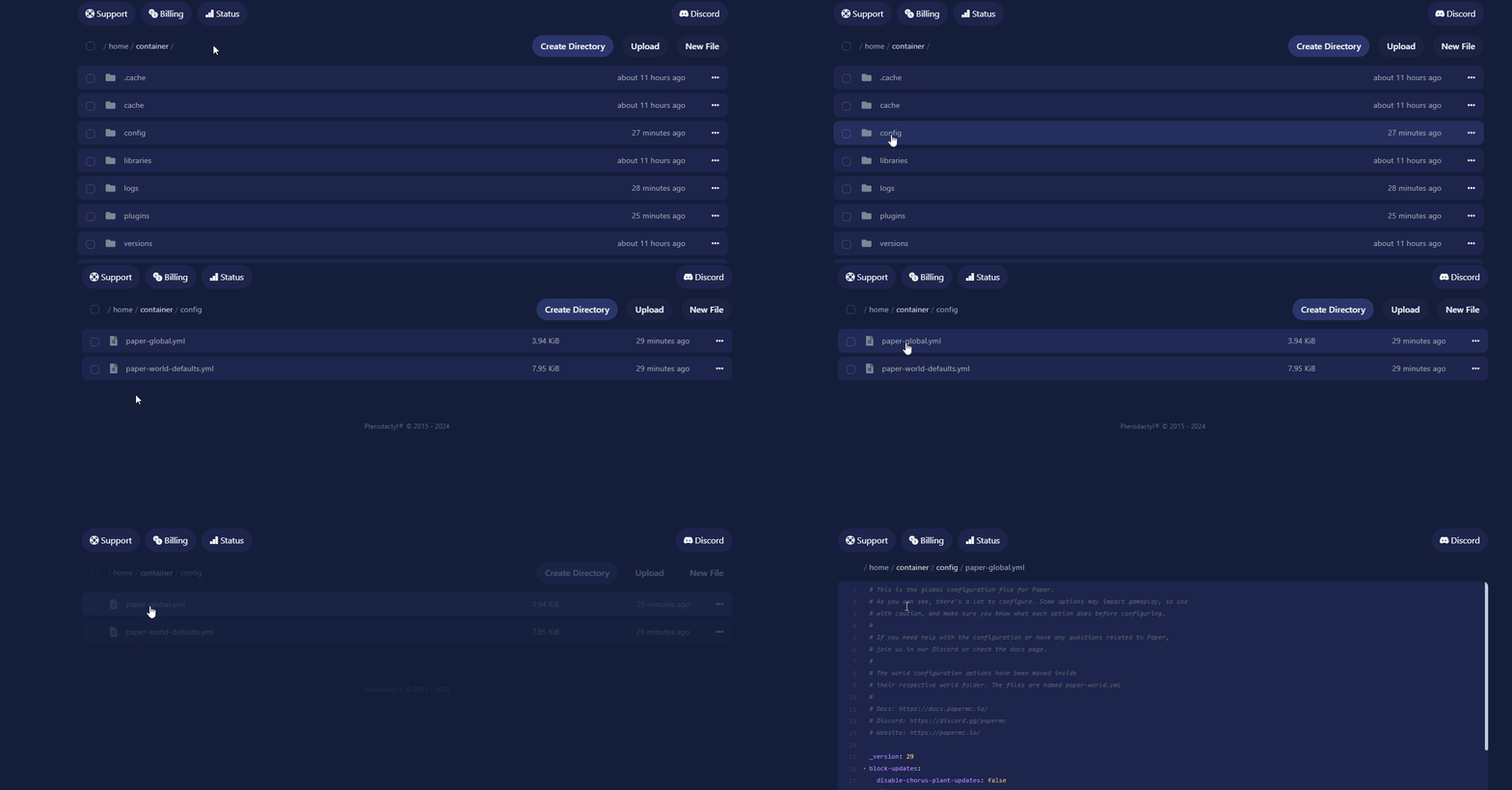
On line 96, change Proxy-protocol from false to true, then save the file.
-
Update Startup Parameters
-
Submit a ticket
Create a ticket and specify that this is for a Minehut external server using a Paper server.
Ask the support team to update the startup parameters to the following:
-Dminecraft.api.auth.host=https://authserver.mojang.com/ -Dminecraft.api.account.host=https://api.mojang.com/ -Dminecraft.api.services.host=https://api.minecraftservices.com/ -Dminecraft.api.session.host=https://api.minehut.com/mitm/proxy