
How do I change the Java version of my Minecraft server?
If you encounter any issues, feel free to reach out via Discord or create a support ticket through this link.
How to Change the Java Version of Your Minecraft Server
-
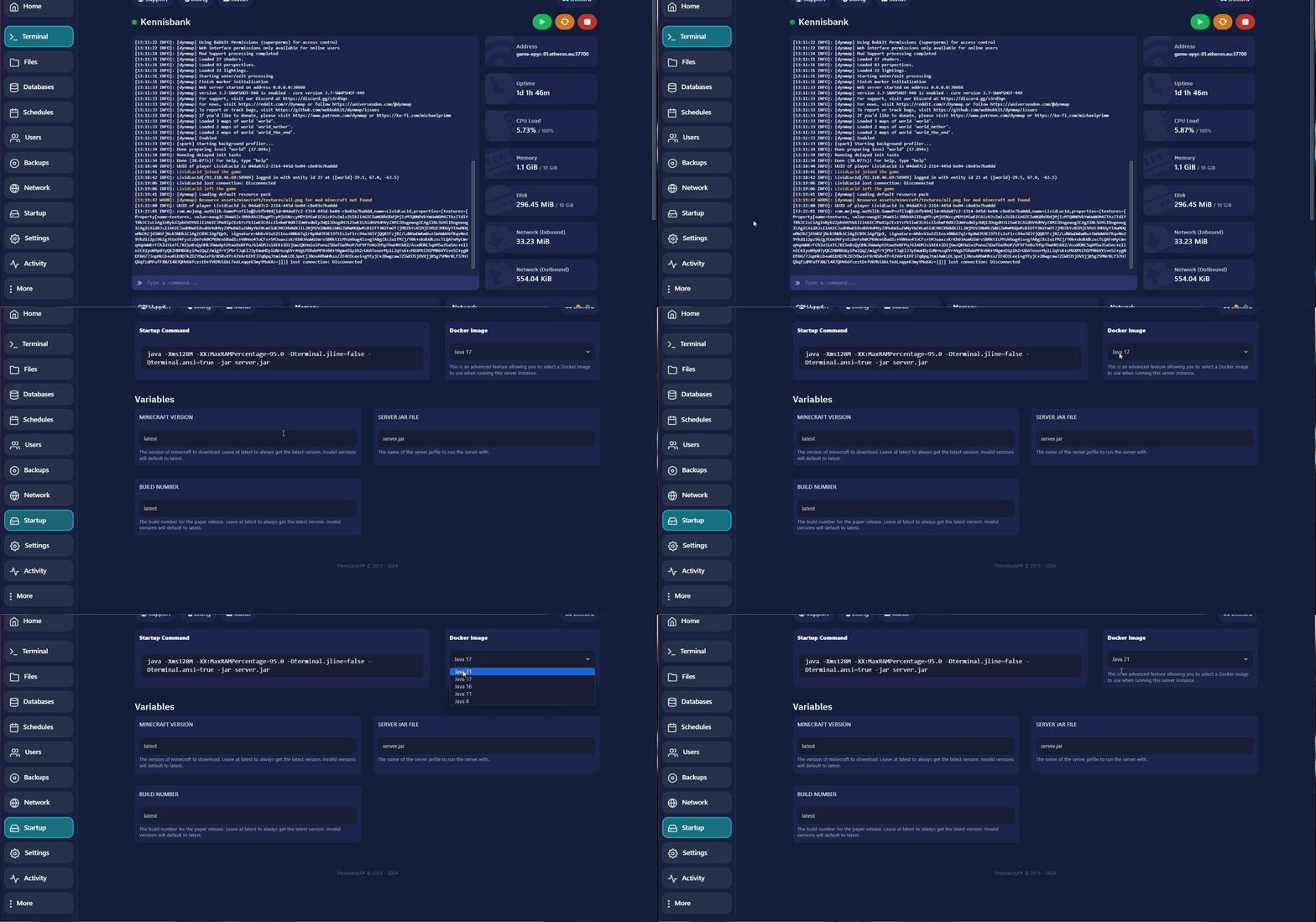
Navigate to Startup in the left-hand menu.
-
Look for Docker Image on the right side.
-
Choose the desired Java version (Minecraft 1.21 or higher requires at least Java 21). Select it from the dropdown menu.
-
Restart the server.
If you encounter any issues, feel free to reach out via Discord or create a support ticket through this link.
Lars
Updated on: 09/09/2026
Was this article helpful?