
How do I change the difficulty of my Minecraft server?
Your server’s difficulty has now been updated!
Here’s how to adjust the difficulty level of your Minecraft server:
-
Go to the game panel.
-
On the left side, click on Files.
-
Click on the file called server.properties.
-
Look for the setting labeled Difficulty. You can change it to one of the following options: peaceful, easy, normal and hard.
-
Press Save Content to save your changes.
-
Restart your server to apply the new difficulty level.
Your server’s difficulty has now been updated!
If you encounter any issues, feel free to reach out via Discord or create a support ticket through this link.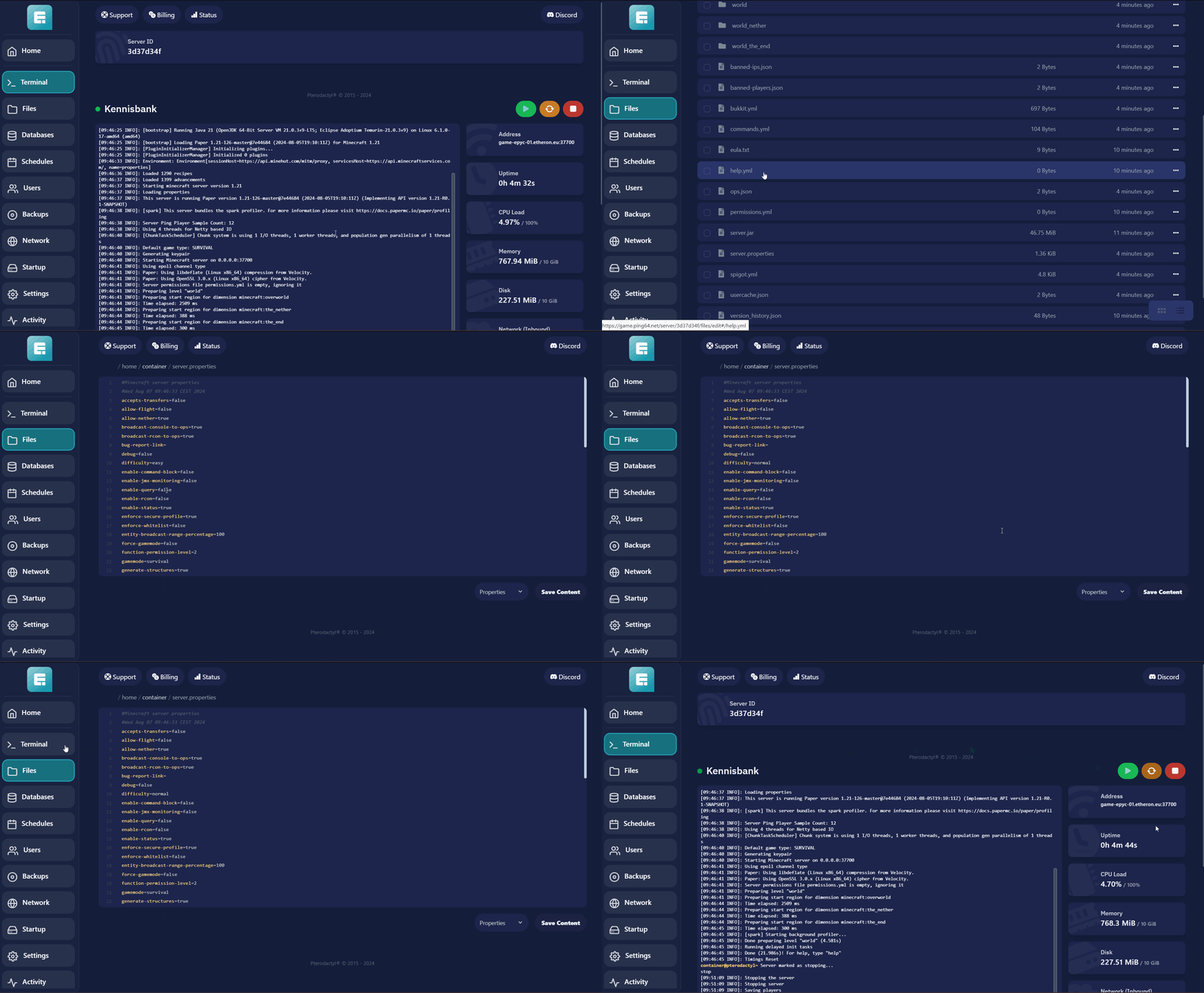
Lars
Updated on: 09/09/2026
Was this article helpful?