
How do I remove a plugin from my Minecraft server?
You’ve successfully removed the plugin!
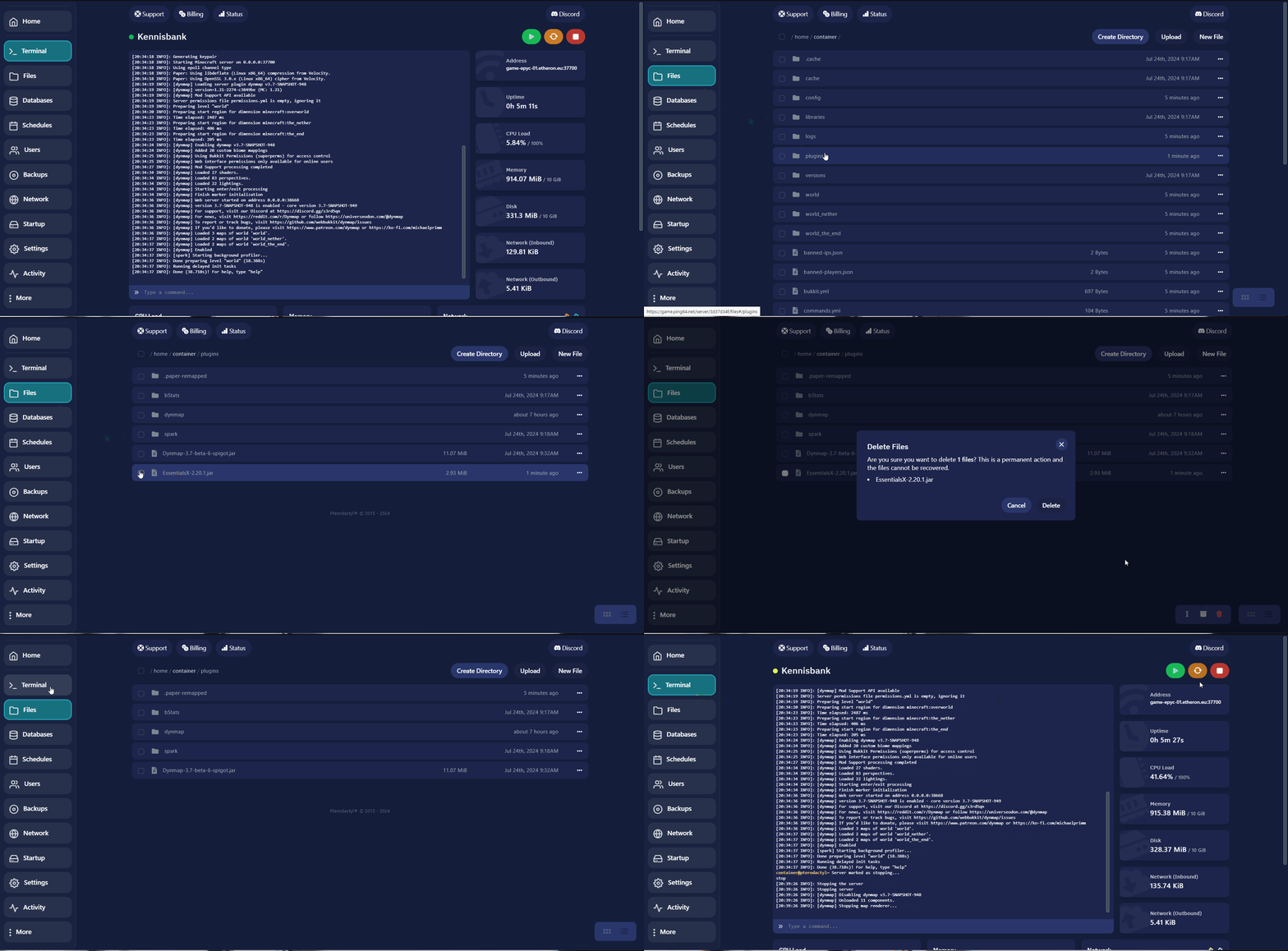
Here’s how to remove a plugin from your Minecraft server:
-
Navigate to the game panel.
-
Select Files on the left side and locate the plugins folder.
-
Choose the plugin you want to remove.
-
Select the plugin and delete it.
-
After deleting the plugin, restart your server.
You’ve successfully removed the plugin!
If you encounter any issues, feel free to reach out via Discord or create a support ticket through this link.
Lars
Updated on: 09/09/2026
Was this article helpful?