
How do I add an extra world to your Minecraft server?
Make sure you have OP status. If you're unsure how, see the guide How to make someone OP.
How to Add an Extra World to Your Minecraft Server
-
Go to the Plugin Manager on the game panel.
-
Use the search bar to find "Multiverse-Core" and add the plugin.
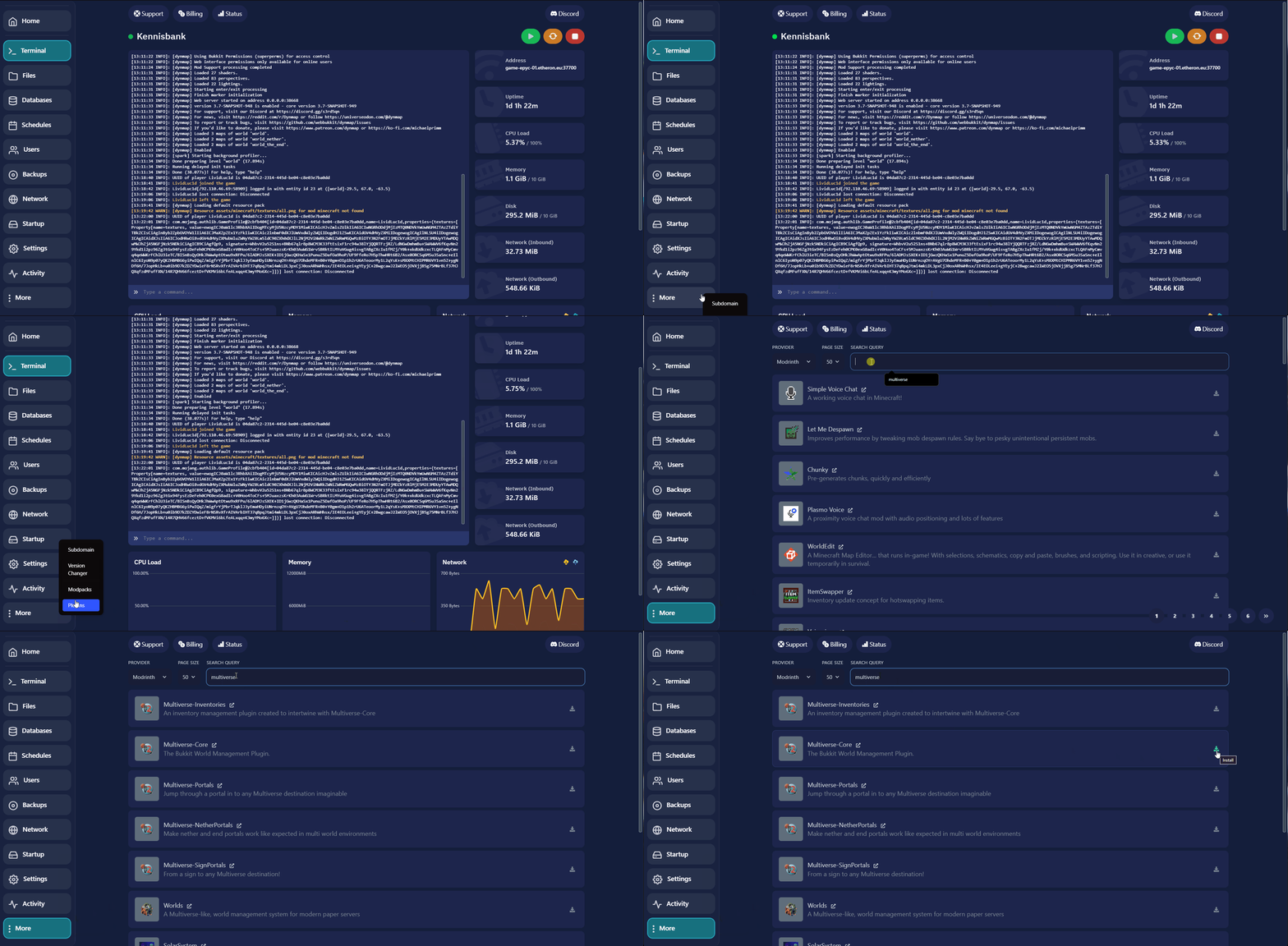
- Restart the server to activate the plugin.
Make sure you have OP status. If you're unsure how, see the guide How to make someone OP.
- Now, upload a world. You can do this via File Management. Drag and drop a zip file (or similar) into the File Manager to upload it.
If the world is a folder on your computer, we recommend uploading it via FTP. You can find more instructions on this here.
- Once the world has finished uploading, you'll need to unzip it.
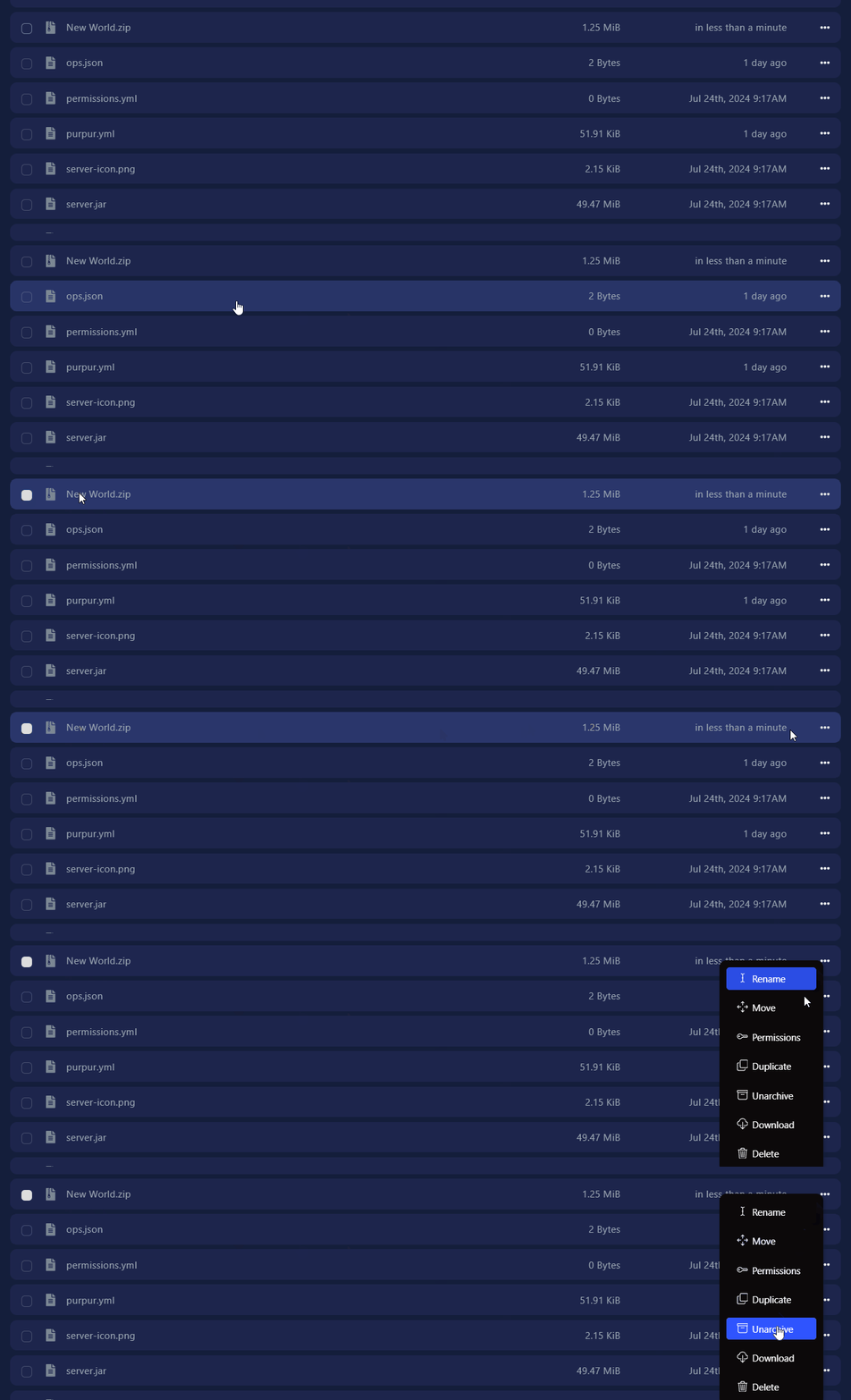
-
Log in to your server.
-
In the game, type /mv import (world name) normal.
-
If successful, you should see "Complete!" in the chat.
-
Now type /mvtp (world name) to teleport to the new world.
**You've successfully added a world to your Minecraft server!**If you encounter any issues, feel free to reach out via Discord or create a support ticket through this link.