
How do I adjust the maximum number of players on my Minecraft server?
If you encounter any issues, feel free to reach out via Discord or create a support ticket through this link.
How to adjust the maximum number of players on your Minecraft server?
-
Navigate to your desired server in the game panel.
-
Click on Files in the left menu.
-
Find and open the server.properties file.
-
Increase or decrease the number behind "max-players=" to adjust the player limit.
-
Save the file.
-
Restart your server to apply the changes.
If you encounter any issues, feel free to reach out via Discord or create a support ticket through this link.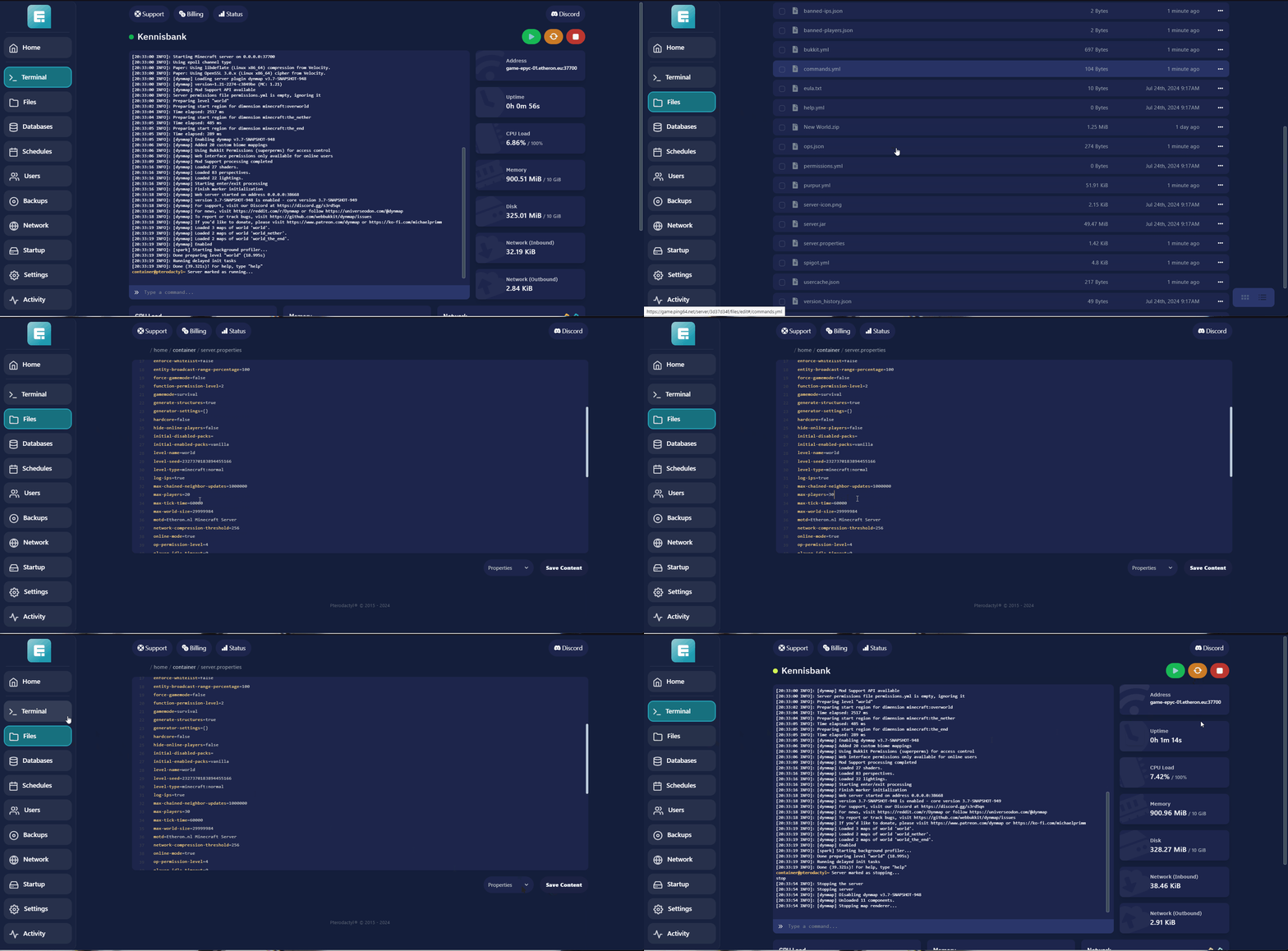
Lars
Updated on: 09/09/2026
Was this article helpful?