
How do I set a seed for my Minecraft server?
We are using the seed 2327370183894455166 example below.5. Next, go back to Files and delete the world folder.
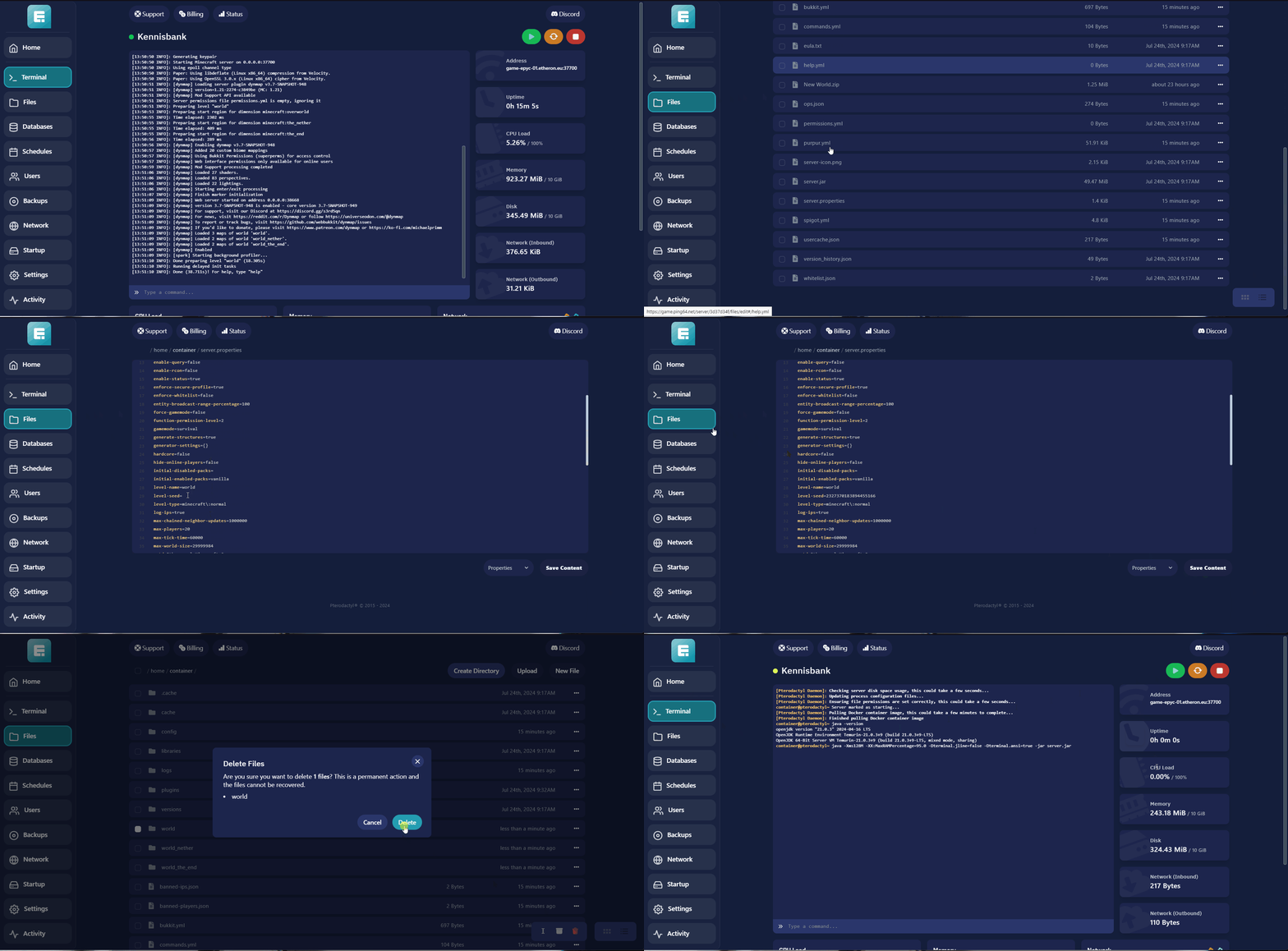
How to set a seed for your Minecraft server.
-
Navigate to the game panel.
-
Choose your desired server and turn it off.
-
Go to Files and select server.properties.
-
Find level-seed= and enter your new seed.
We are using the seed 2327370183894455166 example below.5. Next, go back to Files and delete the world folder.
- Now, you can turn your server back on.
Your server seed has been successfully updated!
If you encounter any issues, feel free to reach out via Discord or create a support ticket through this link.
Lars
Updated on: 09/09/2026
Was this article helpful?