
Steps to Enable Photos in Your Roundcube Email Signature
Log in with the same username and password you use for your website, if prompted.
Follow these instructions to make sure images in your email signature load properly in Roundcube.
-
Log in to your DirectAdmin panel by appending ':2222' to your website URL. It should look like this: 'yourwebsite.com:2222'.
-
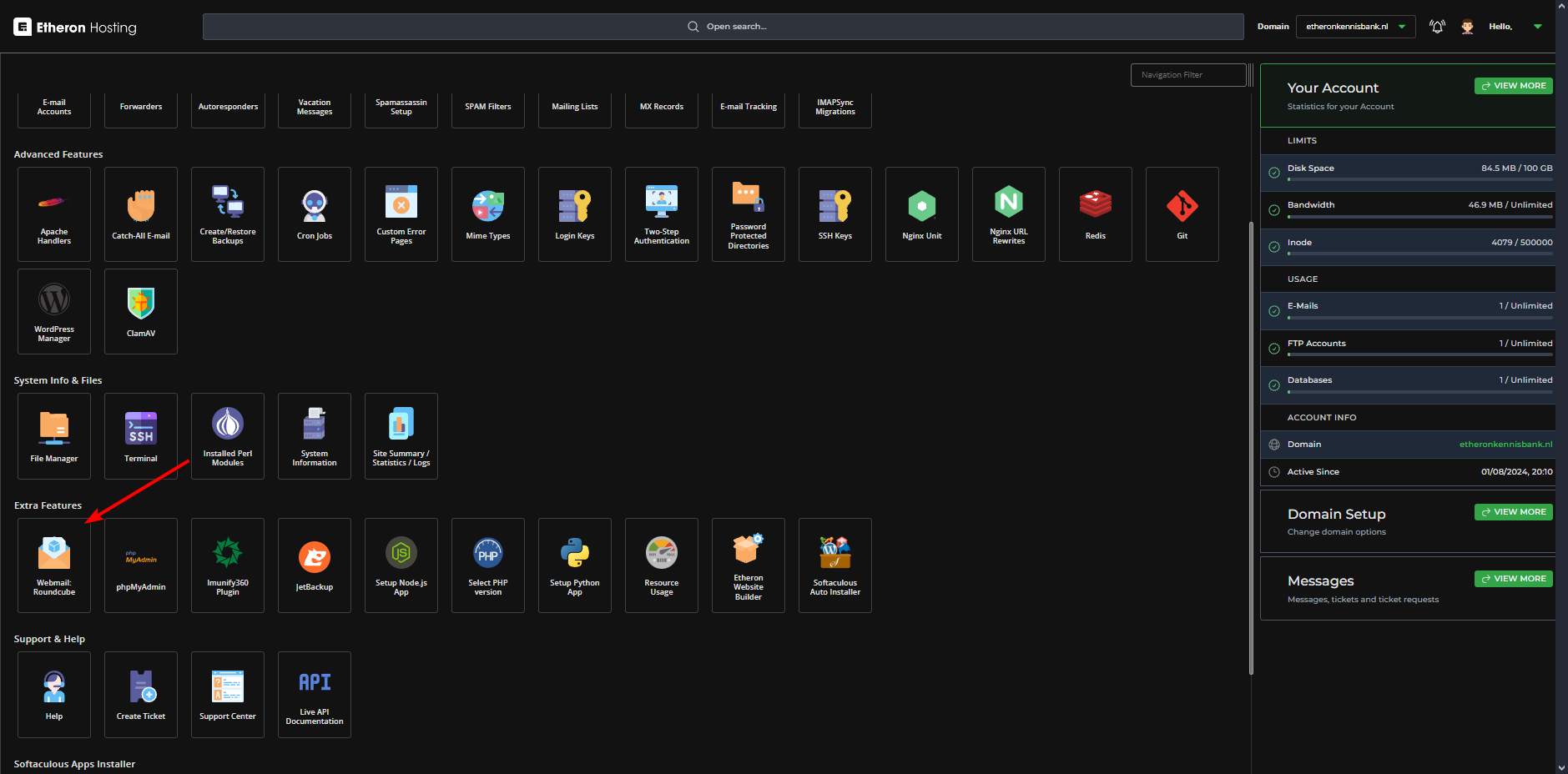
Scroll down and click on Webmail: Roundcube.
Log in with the same username and password you use for your website, if prompted.
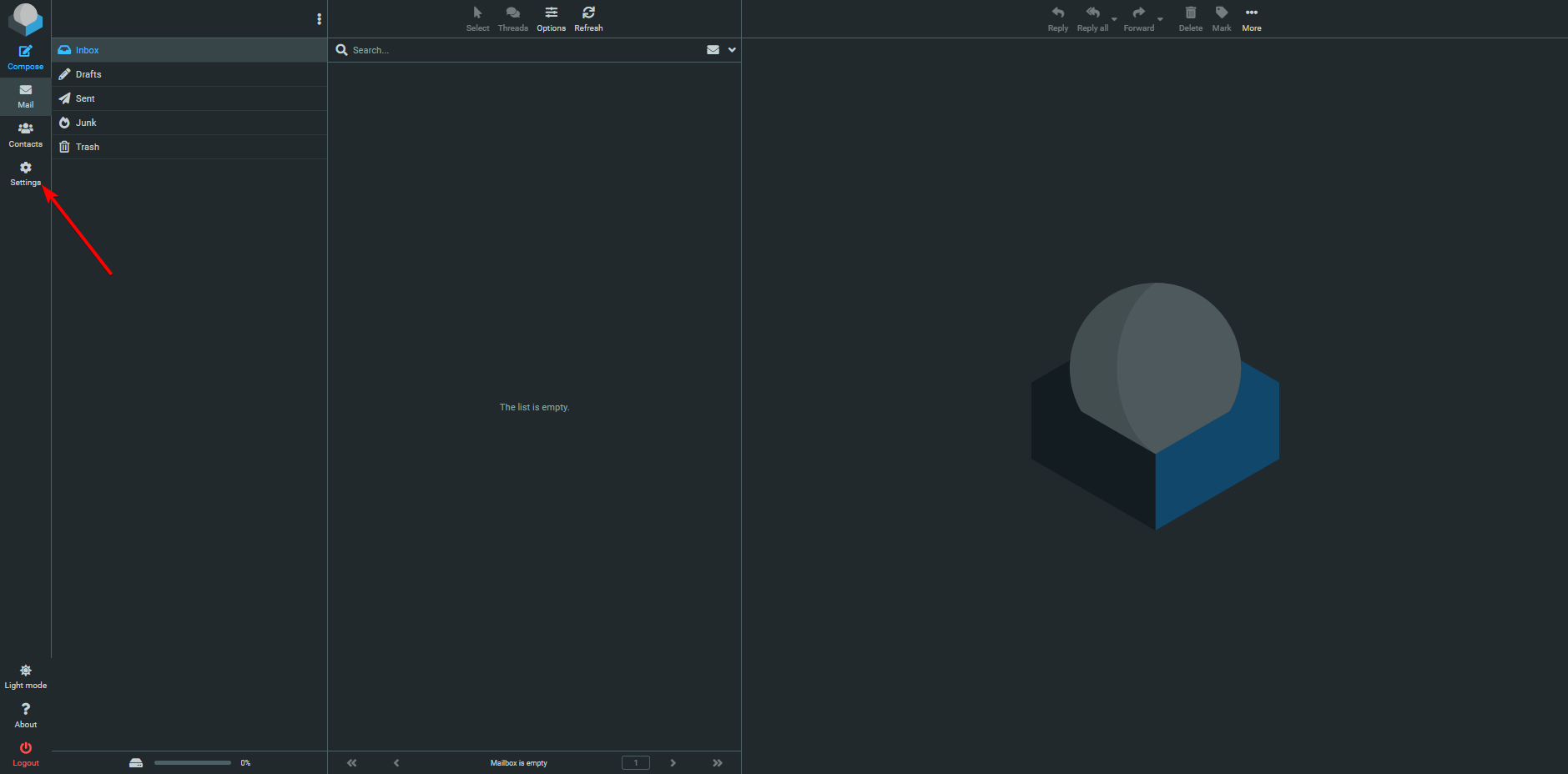
- On the left side, click on Settings.
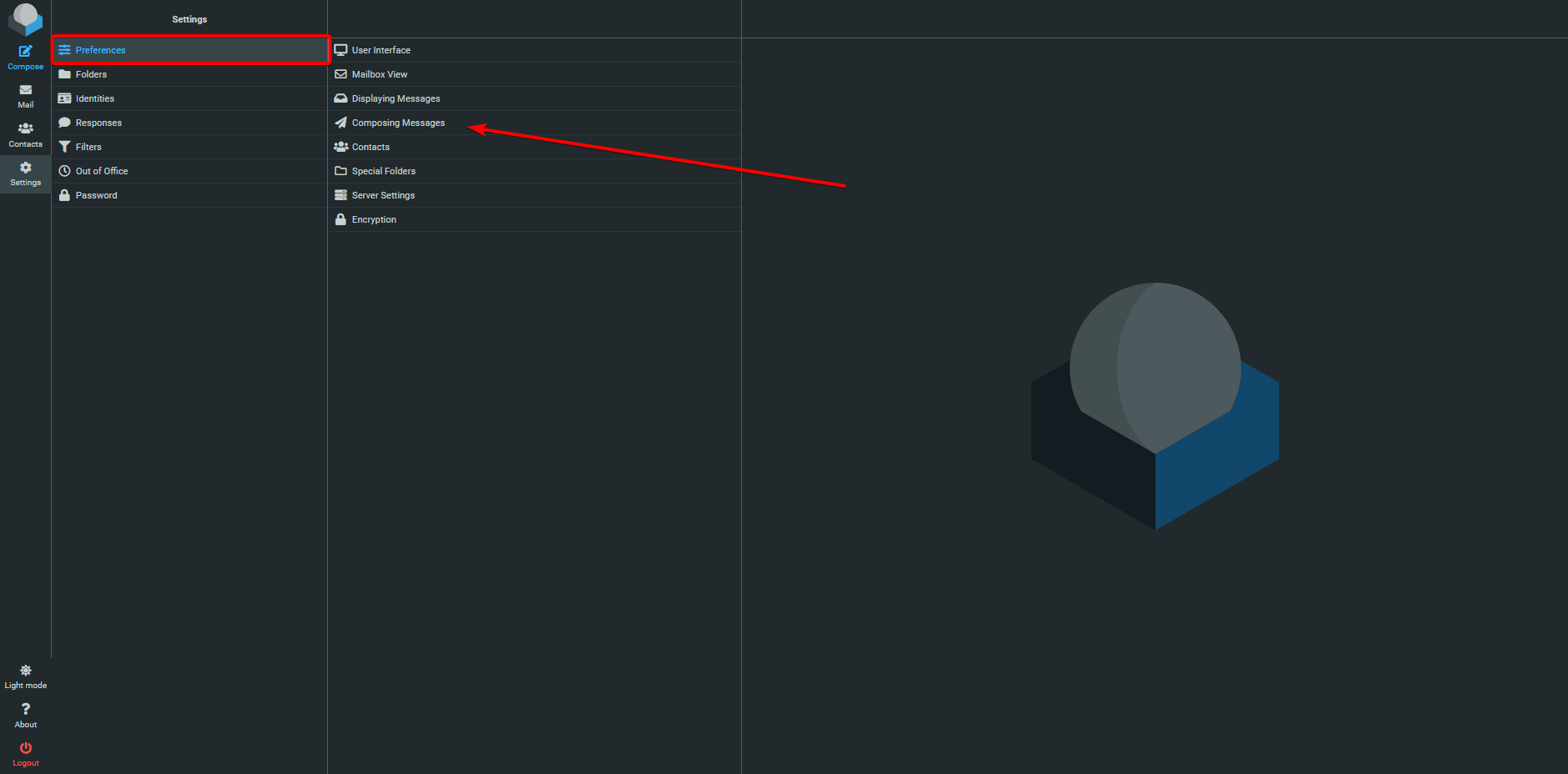
- Go to Preferences and then click on Composing Messages.
- Find the option Compose HTML messages.
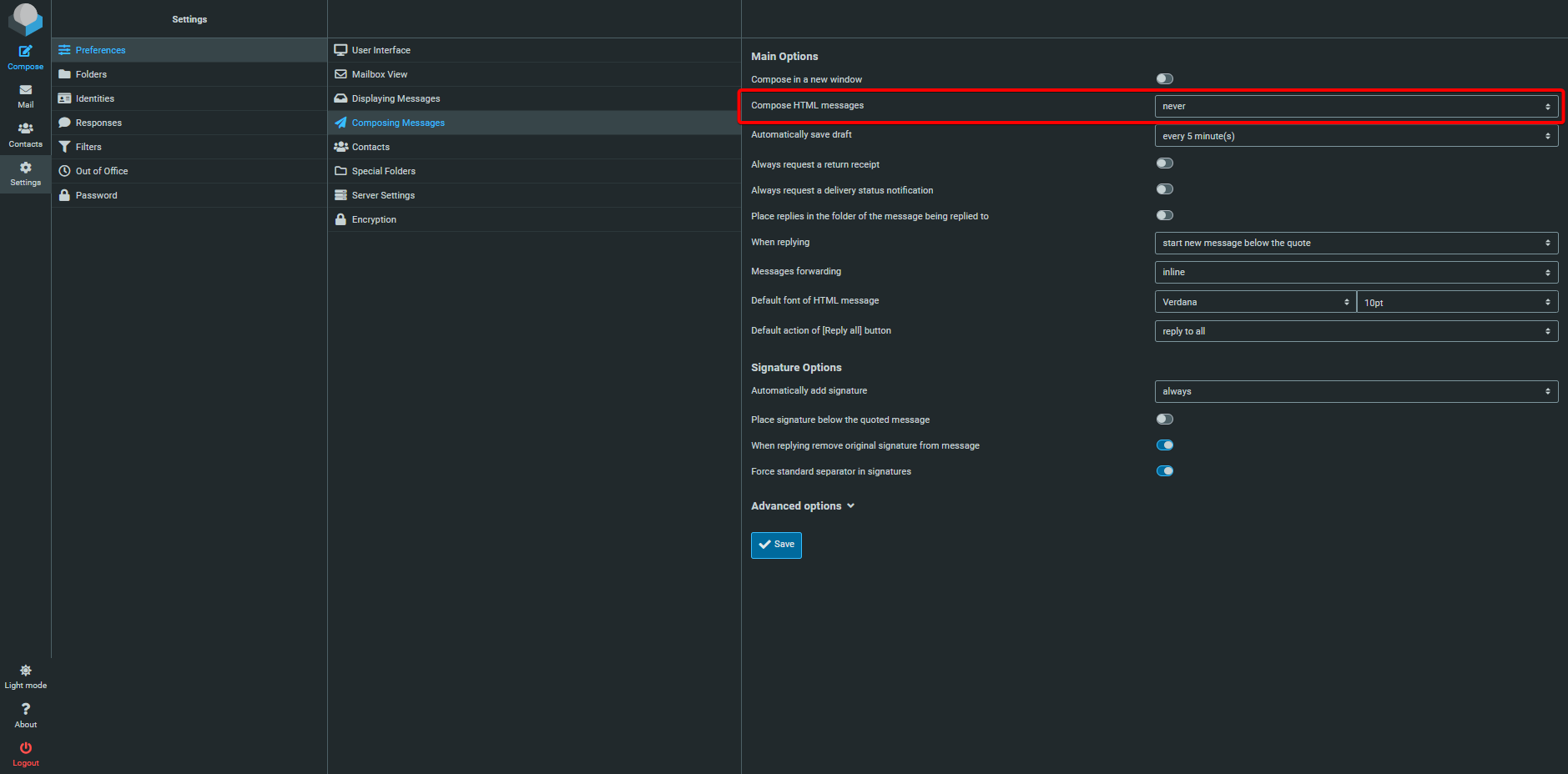
- Change this setting from never to always.
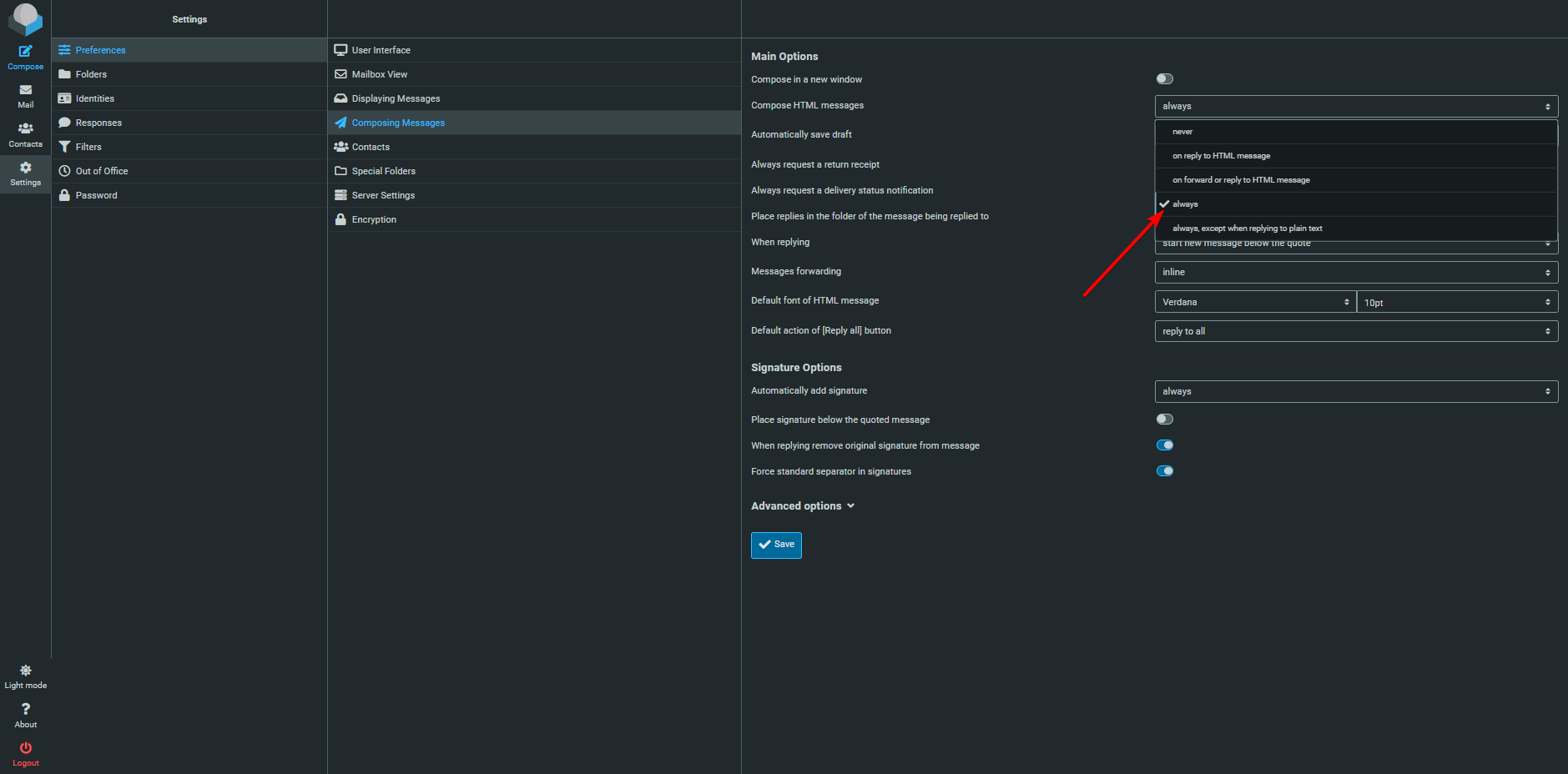
- Click Save.
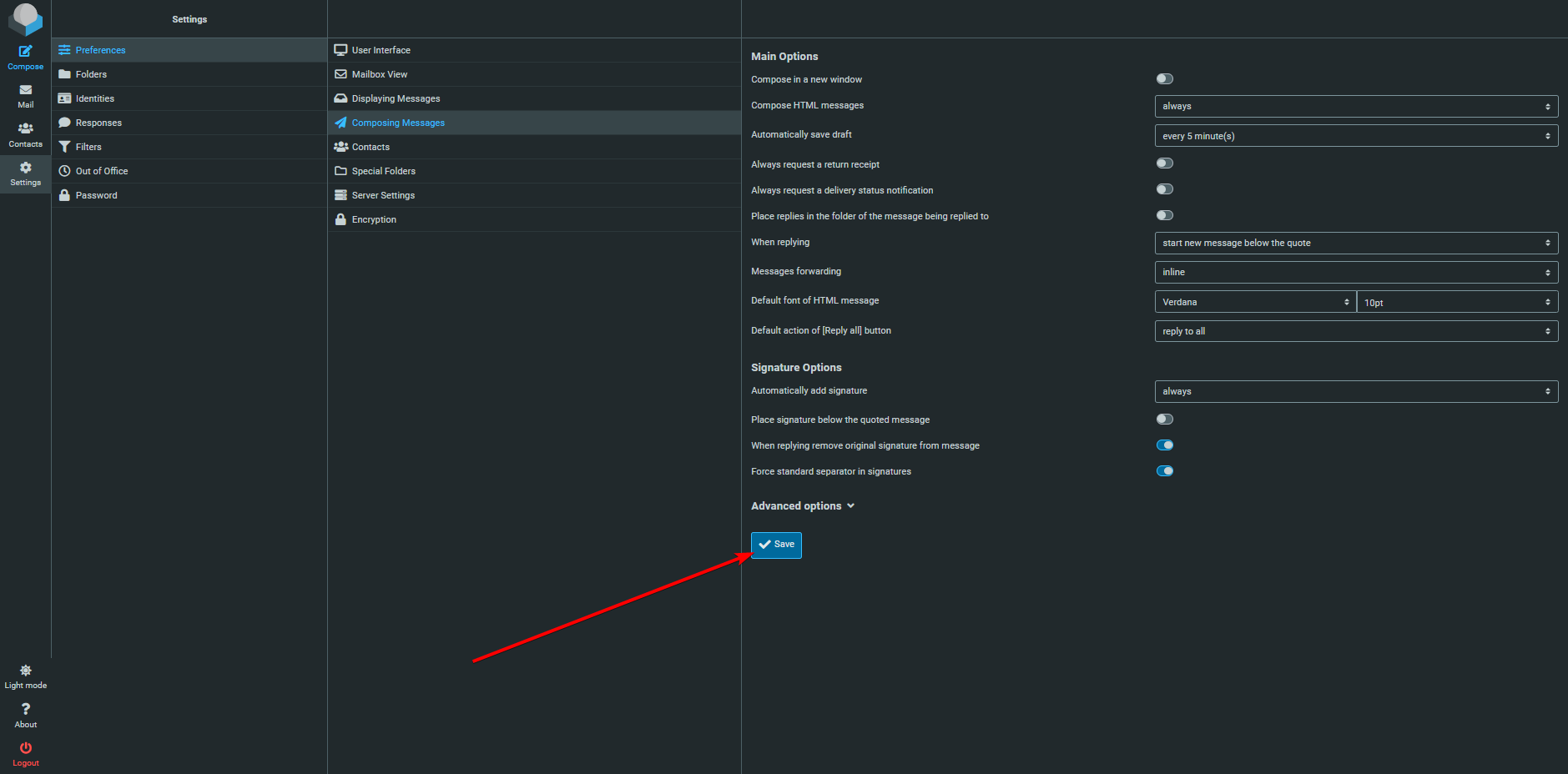
- Images in your email signature should now load!
If you encounter any issues, feel free to reach out via Discord or create a support ticket through this link.
Lars
Updated on: 09/09/2026
Was this article helpful?