
How do I create a Node.js app in DirectAdmin?
Setting up Node.js from DirectAdmin:
Node.js is one of the most popular open-source server environments. Based on JavaScript, it is versatile and compatible with various platforms (Windows, Linux, Unix, Mac OS X, etc.).
Setting up Node.js from DirectAdmin:
-
Log in to your DirectAdmin account.
-
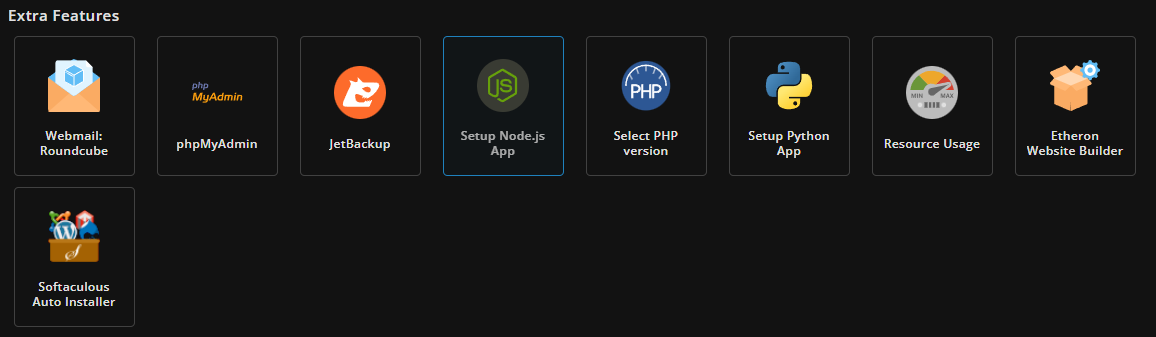
Go to the Extra Features section and click on Setup Node.js App.
- Click on CREATE APPLICATION.
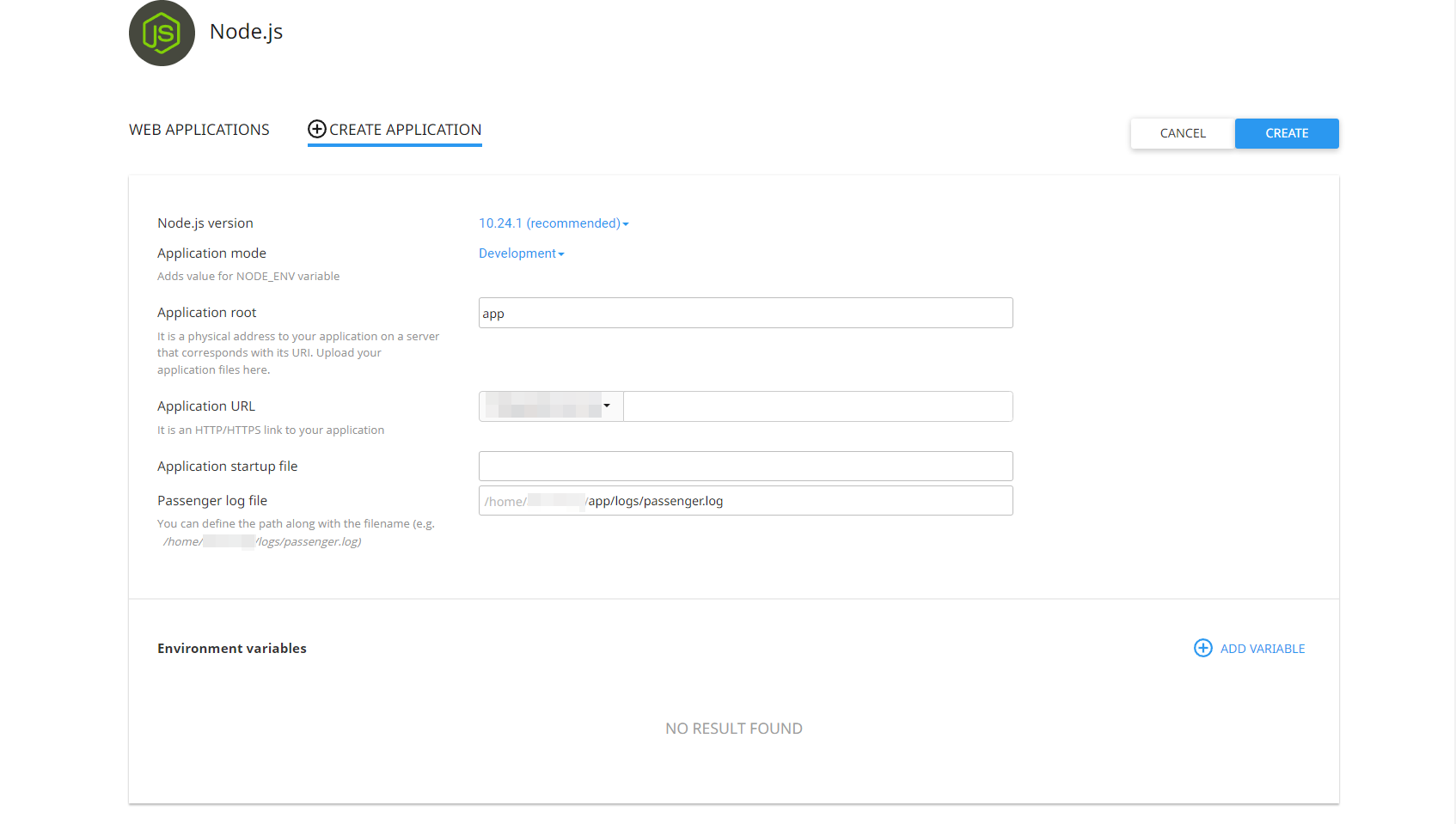
- Enter the details for the application you want to create in the following fields:
Node.js version: Select the appropriate Node.js version for your application. DirectAdmin recommends version 10.24.1.
Application Mode: Set the value for the NODE_ENV variable to Development or Production.
Application Root: This is the user’s application directory where you will upload your application files.
Application URL: This is the HTTP/HTTPS link pointing to your application’s URL.
Application Start File: Enter the appropriate start file for your application. For example, we used main.js for our application.
Passenger Log File: Define a path for your log file name, as shown in the screenshot.
- Once you’ve filled in all the details, click SAVE.
Managing a Node.js application:
Stopping Node.js: Click the Stop icon, as shown in the screenshot.

Starting Node.js: The start icon will switch back to the stop icon. Other functions are explained as shown in the screenshot of a running application.

Restarting: Click the Restart icon for the application that has already started. Restarting unlocks blocked applications.
Editing: Click the Pencil icon. The application tab opens where you can edit fields and set new values for the application.
Deleting: Click the Trash icon. A confirmation pop-up will appear. Click Agree, and the application will be removed from the Web Applications table, displaying a confirmation message.
If you encounter any issues, feel free to reach out via Discord or create a support ticket through this link.