
How do I Change Your Web Hosting Package Password?
Tip: Clicking the two dice icons on the left will generate a secure password for you.
Here’s how you can change your web hosting package password
-
Log in to your DirectAdmin panel by adding ':2222' to your website URL. It should look like this: 'yourwebsite.com:2222'.
-
Click on your name in the upper-right corner of the screen.
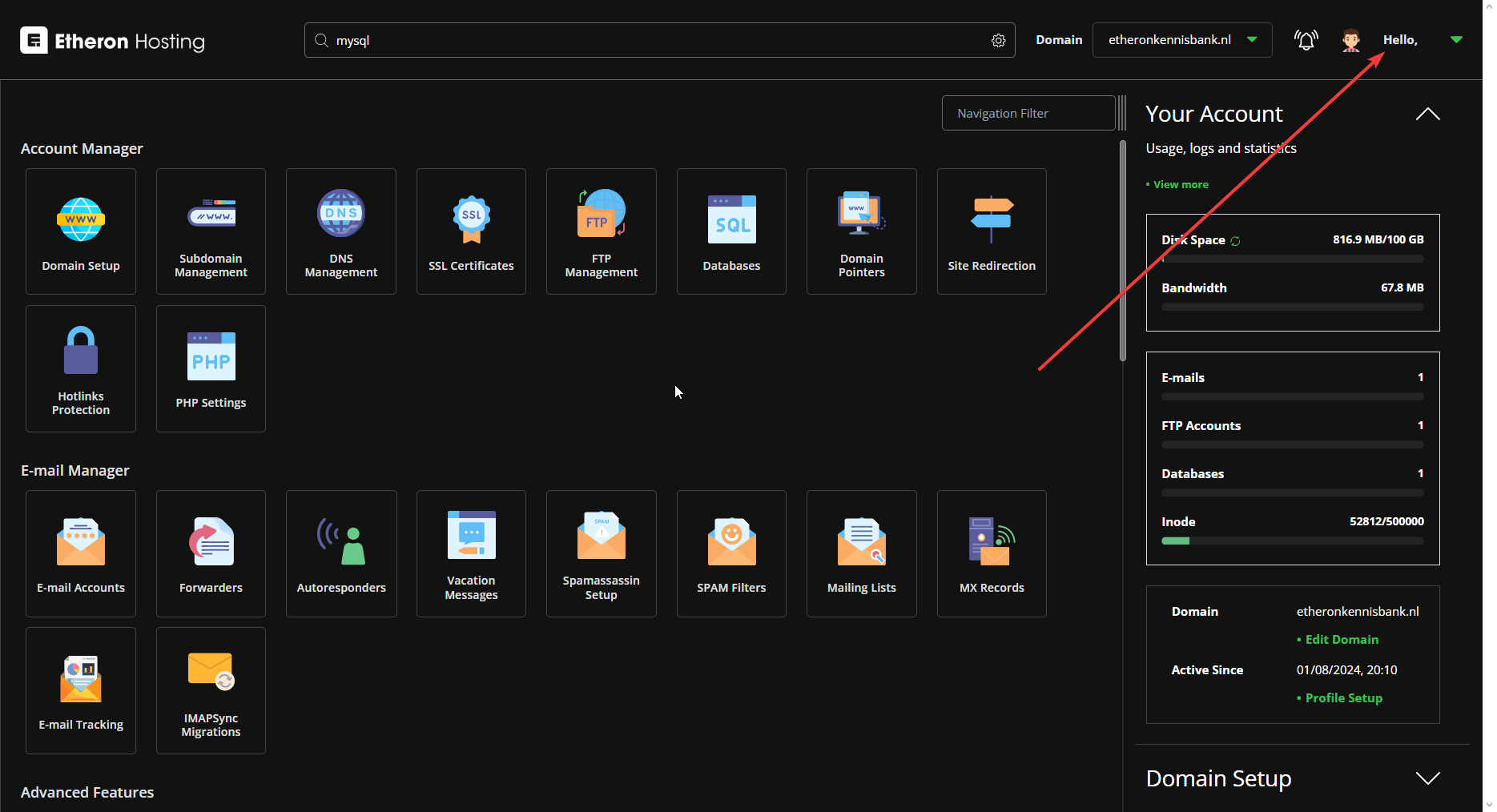
- Select Profile.
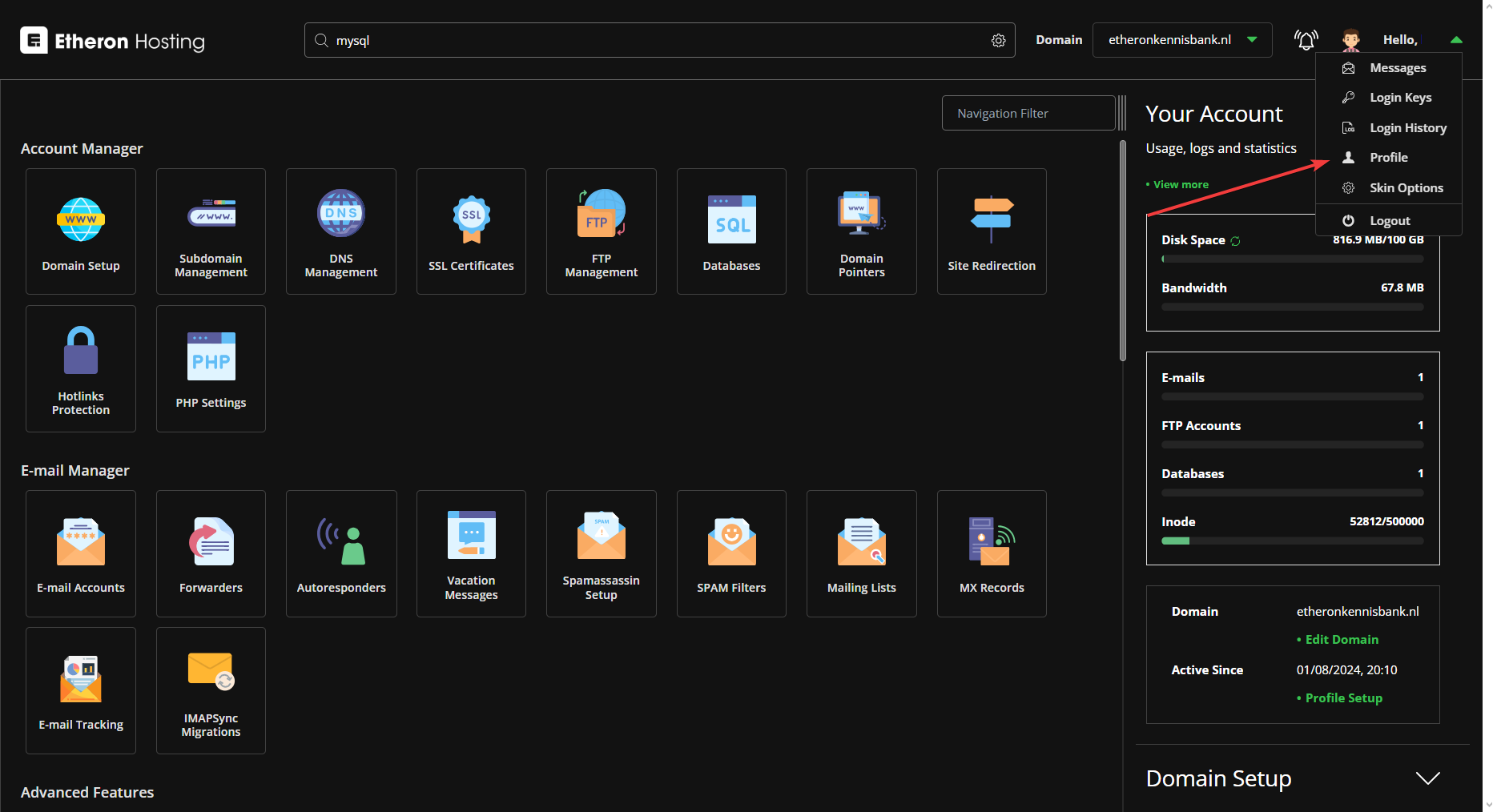
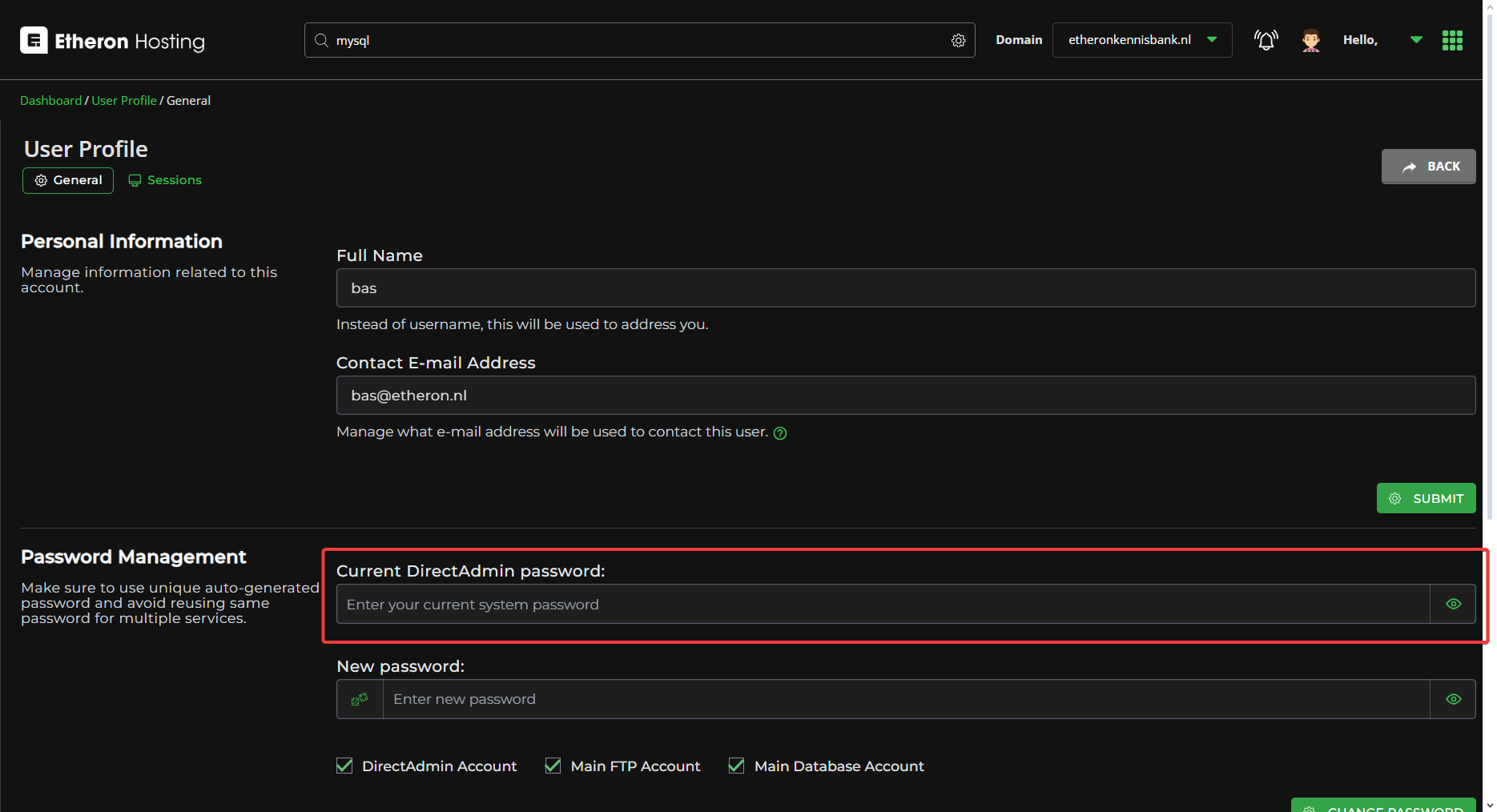
- Go to Password Management, and enter the current password that you used to log in to DirectAdmin.
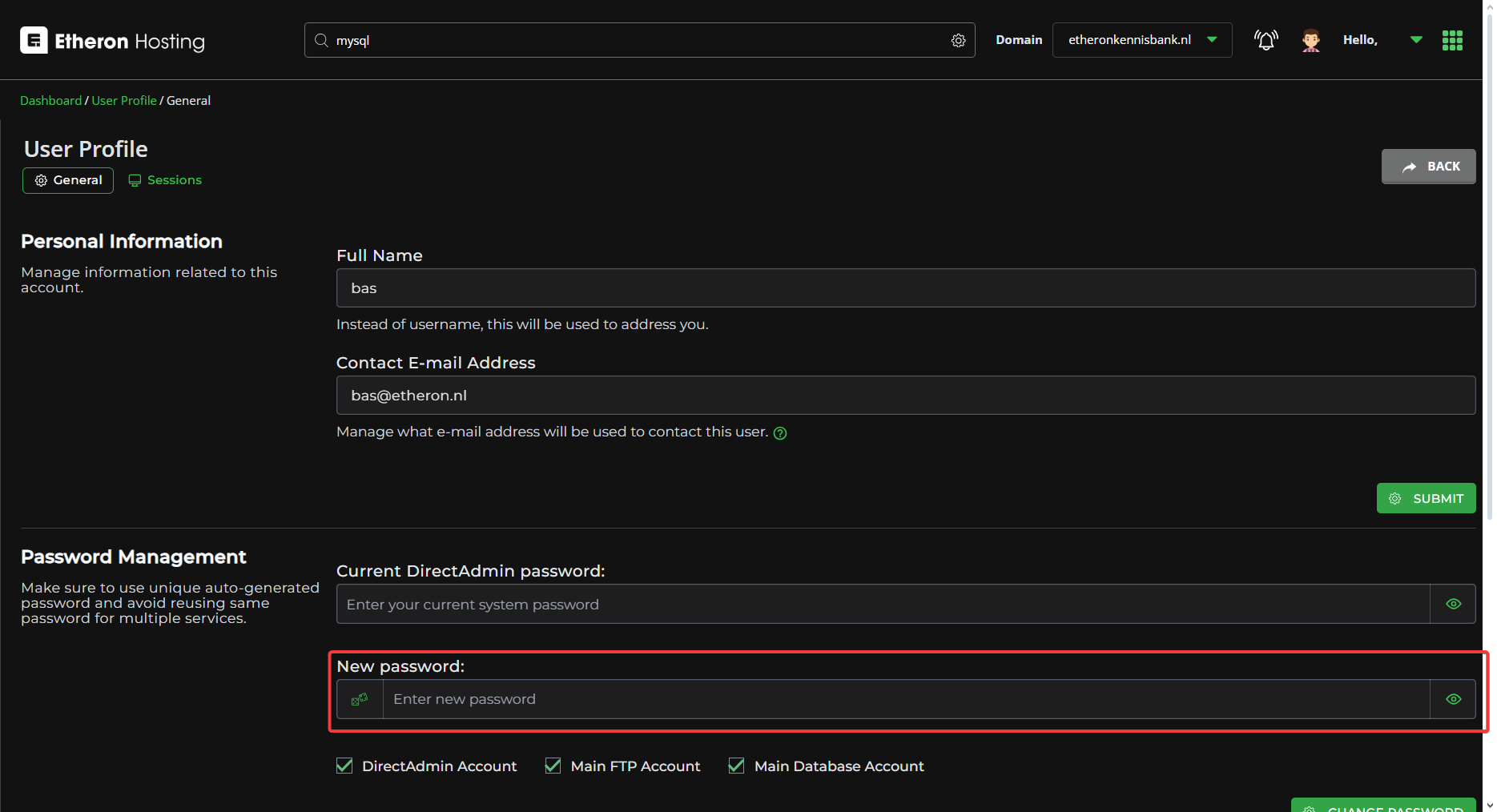
- In the New Password field, enter your new desired password.
Tip: Clicking the two dice icons on the left will generate a secure password for you.
- Below the New Password, you can choose whether to change only the DirectAdmin account password or also the passwords for FTP and Database.
Note: Using the same password for all services can increase risks if your account is compromised!
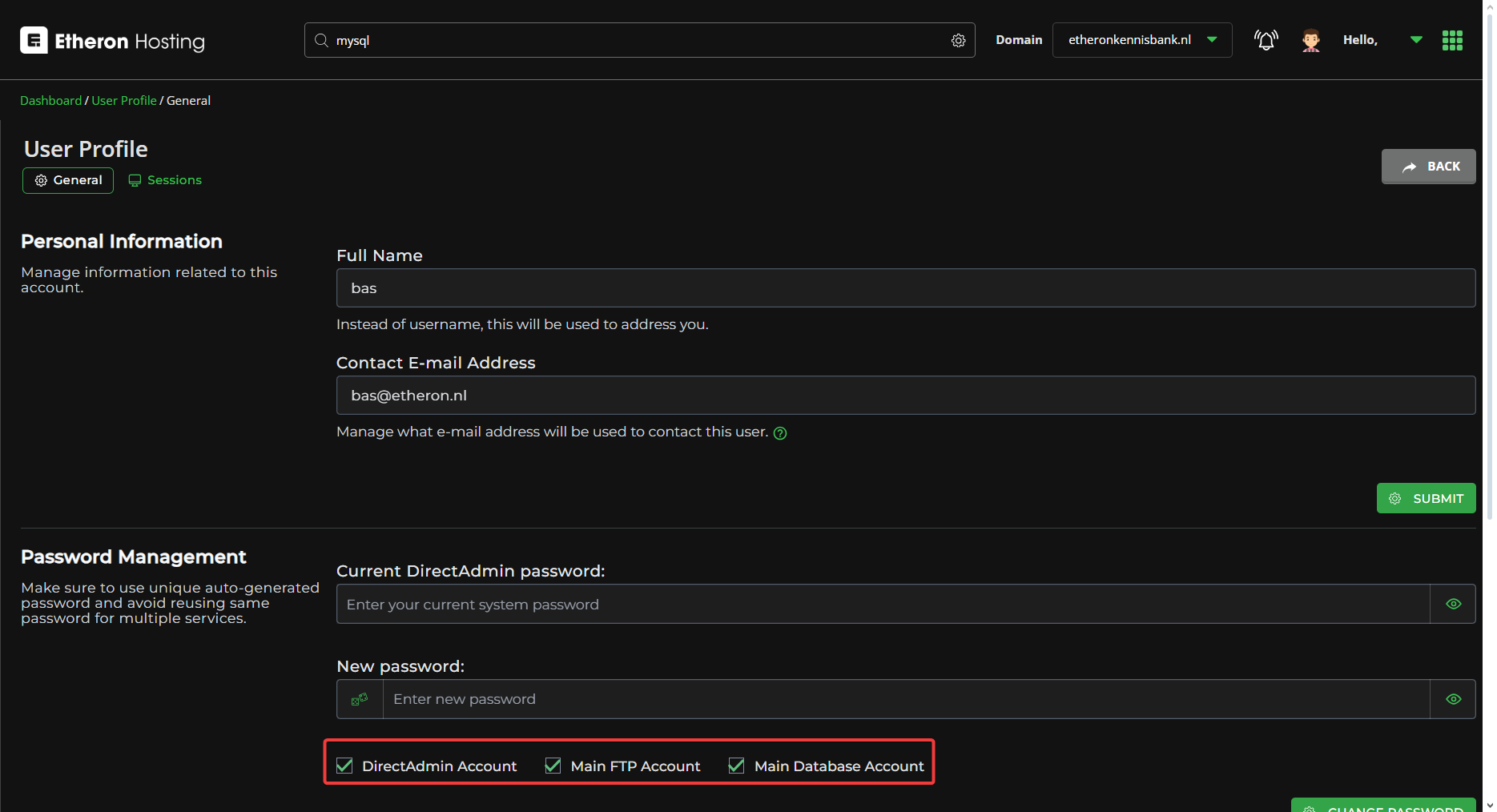
- Finally, click CHANGE PASSWORD, and your password will be updated!
If you encounter any issues, feel free to reach out via Discord or create a support ticket through this link.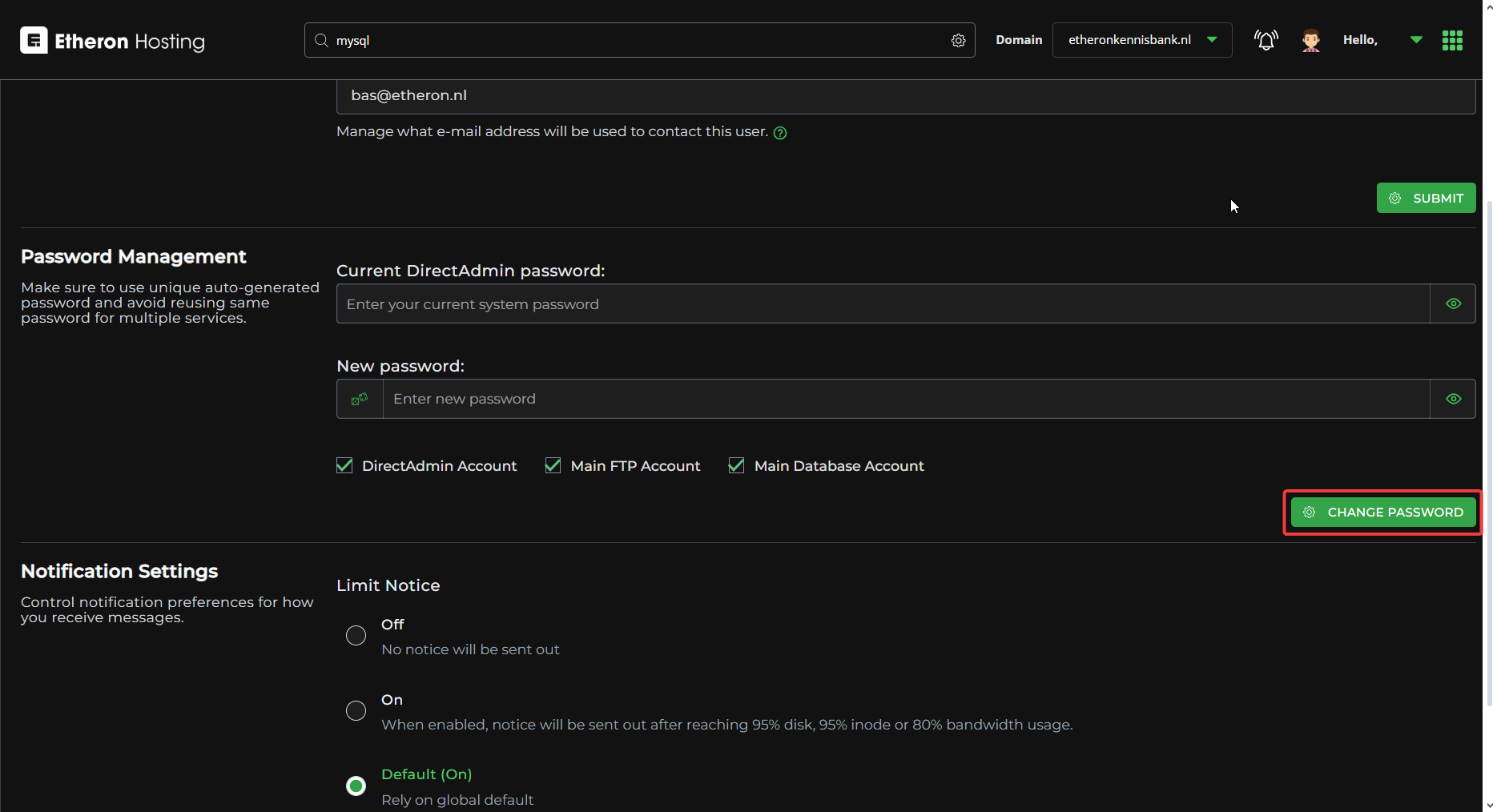
Lars
Updated on: 09/09/2026
Was this article helpful?