
how do I Publish my Custom-Built Website?
If you encounter any issues, feel free to reach out via Discord or create a support ticket through this link.
Here’s How to Publish Your Custom-Built Website Online
-
Log in to your DirectAdmin panel or add :2222 to your website URL. It should look like this: yourwebsite.com:2222.
-
Connect to your website via FTP. Don’t know how? Check out this article.
-
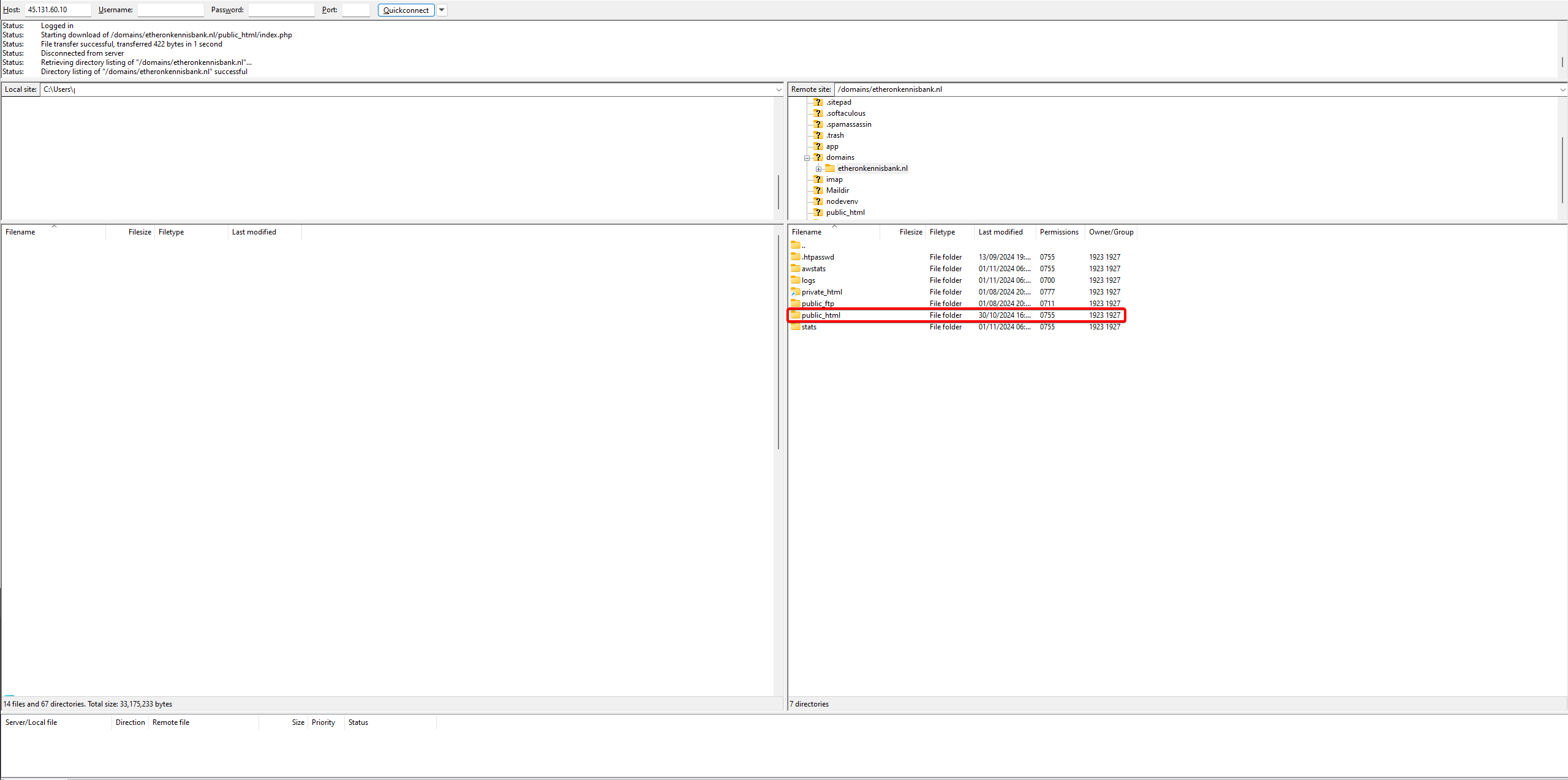
Click on the public_html folder.
-
Drag all your files into this folder. Make sure your index file (.html, .htm, .php, etc.) is included here.
-
Your website is now live!
If you encounter any issues, feel free to reach out via Discord or create a support ticket through this link.
Lars
Updated on: 09/09/2026
Was this article helpful?