
How do I set up SSL on my website?
Learn how to set up SSL on my website with clear step-by-step instructions.
If you want to use SSL on your web server, this article explains how to do it!
-
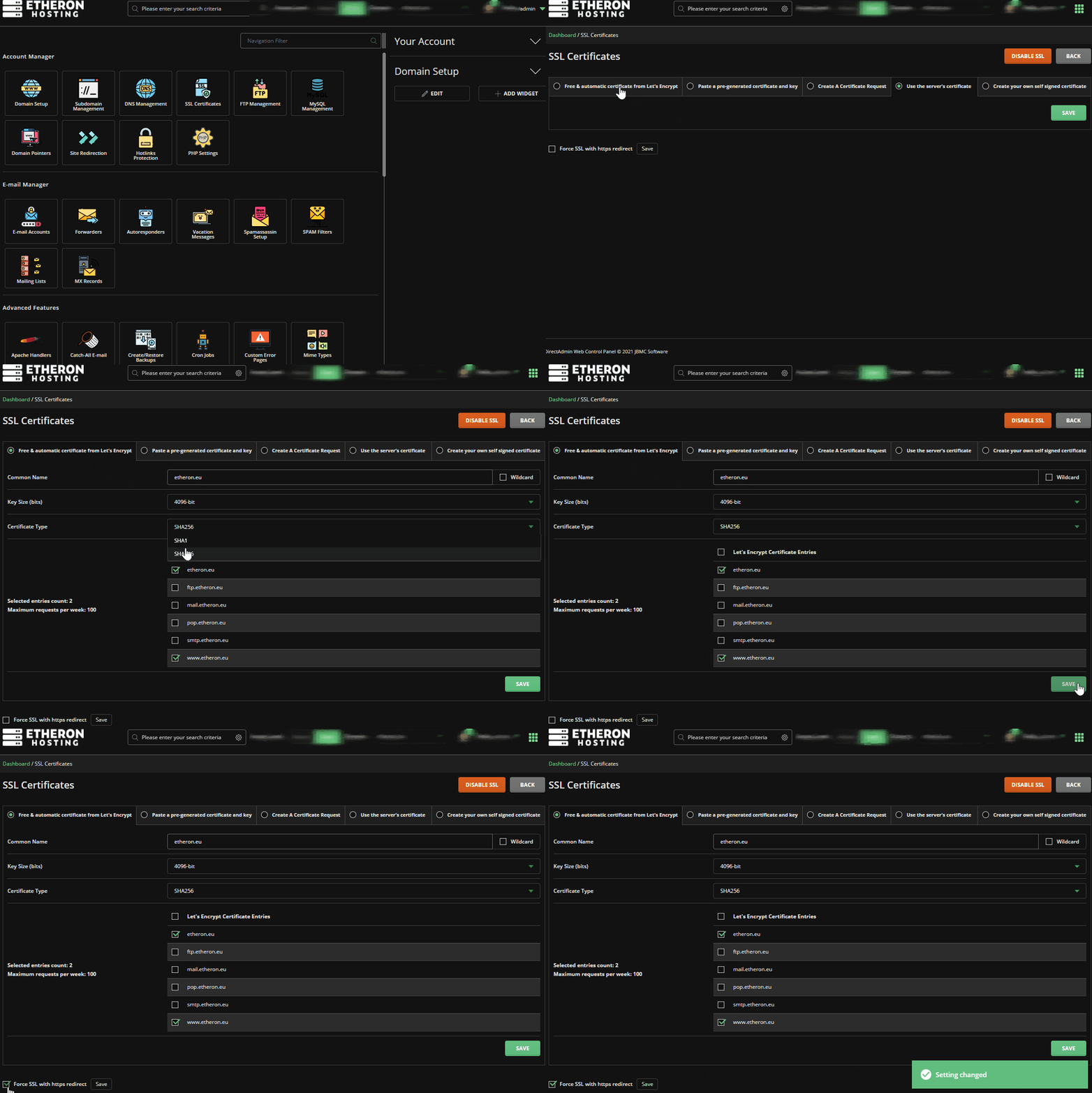
Login to your web hosting package (DirectAdmin)
-
Navigate to SSL Certificates
-
Select Free & automatic certificate from Let's Encrypt
4096-bit
SHA-256
-
Check the desired domain name and click on save.
-
To always use a secure connection, check the bottom left Force SSL with https redirect and click Save
-
SSL is now enabled in minutes!
Lars
Updated on: 09/09/2026
Was this article helpful?