
How do I install php extensions?
To install an extension, for example, mysqli:
Here’s a guide on how to install PHP extensions
-
Log in to your DirectAdmin panel by adding ':2222' to your website URL. It should look like this: 'yourwebsite.com:2222'.
-
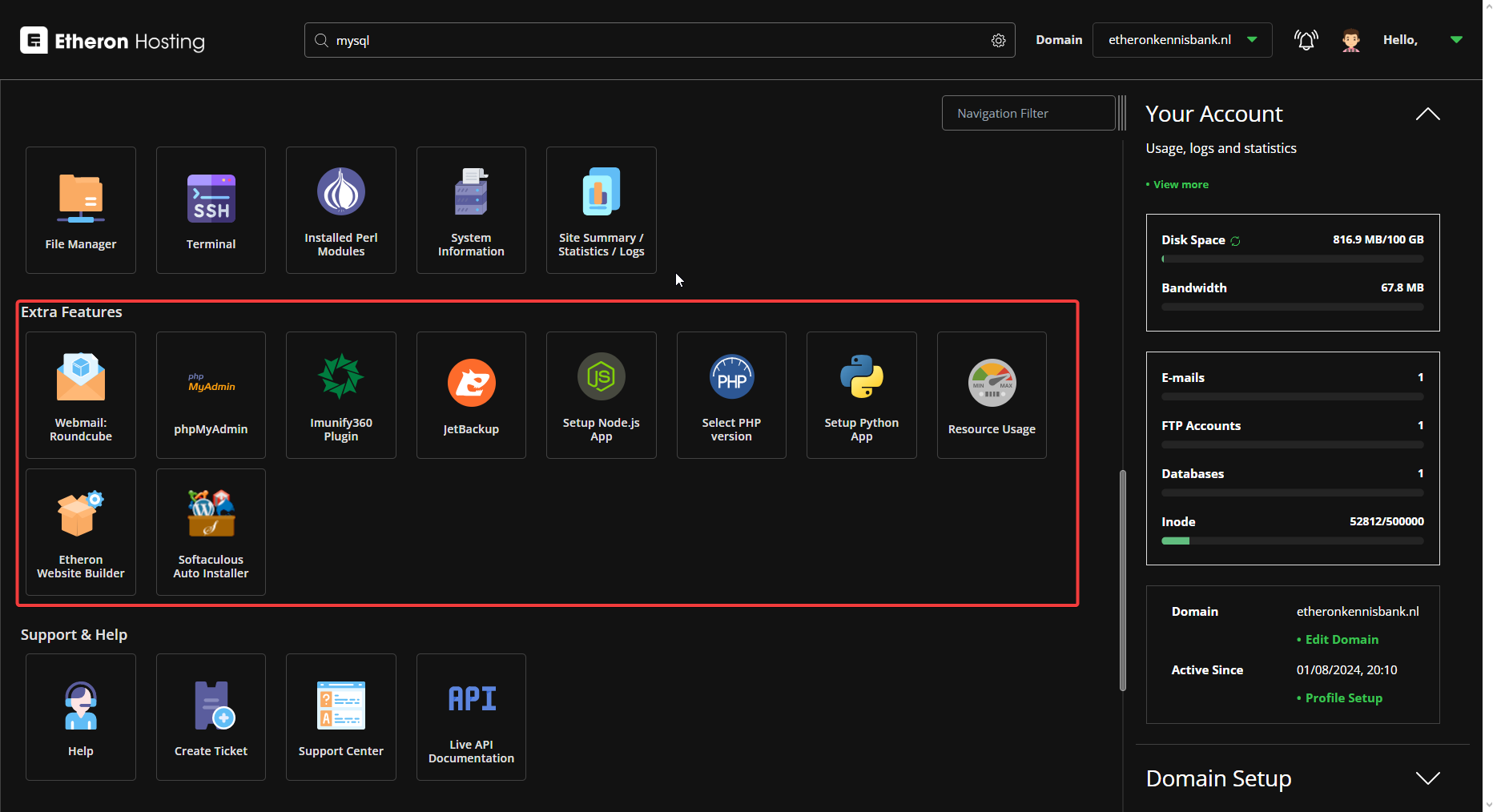
Scroll down to Extra Features.
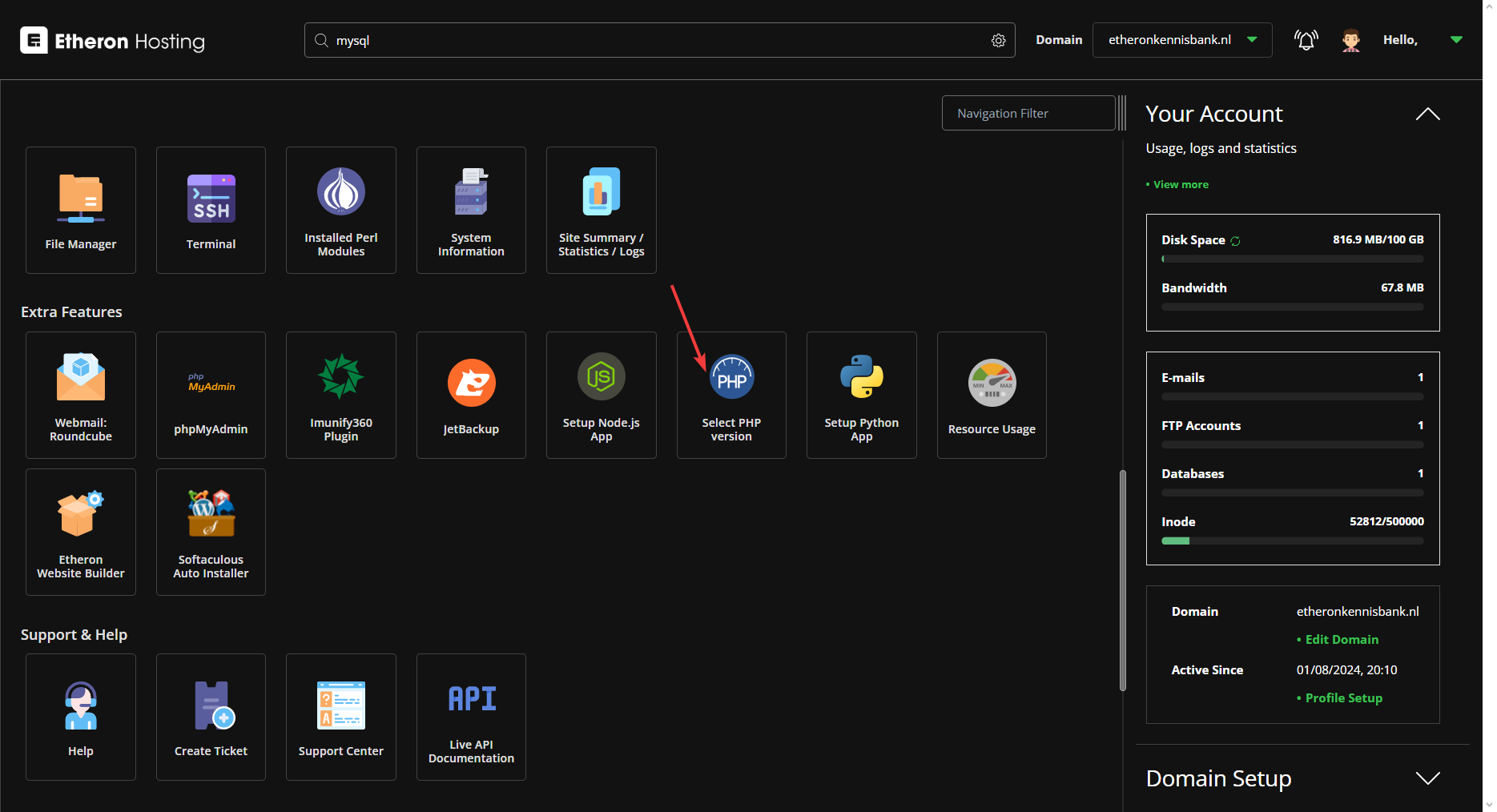
- Click on Select PHP Version.
To install an extension, for example, mysqli:
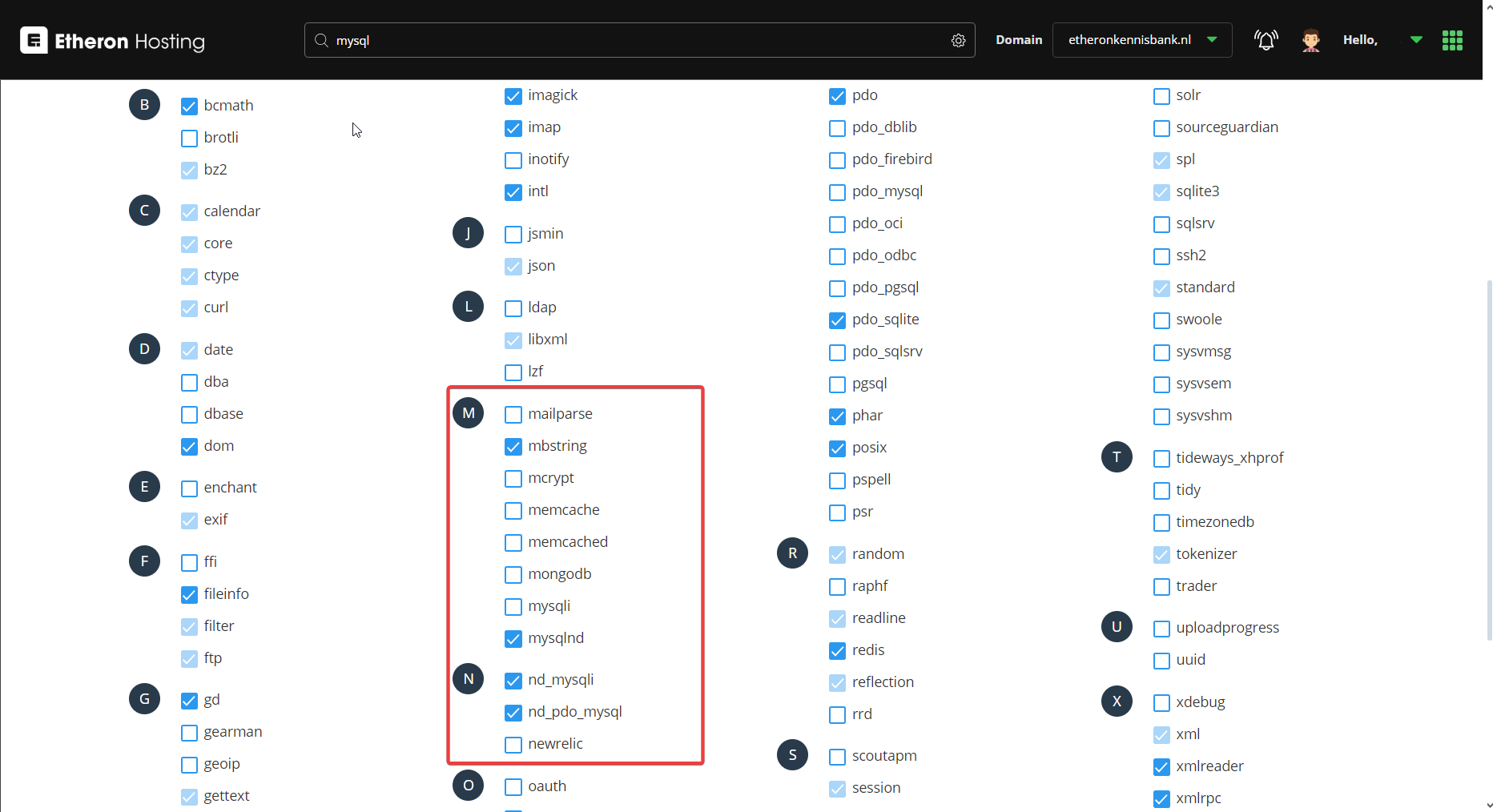
- Scroll down until you find the letter M.
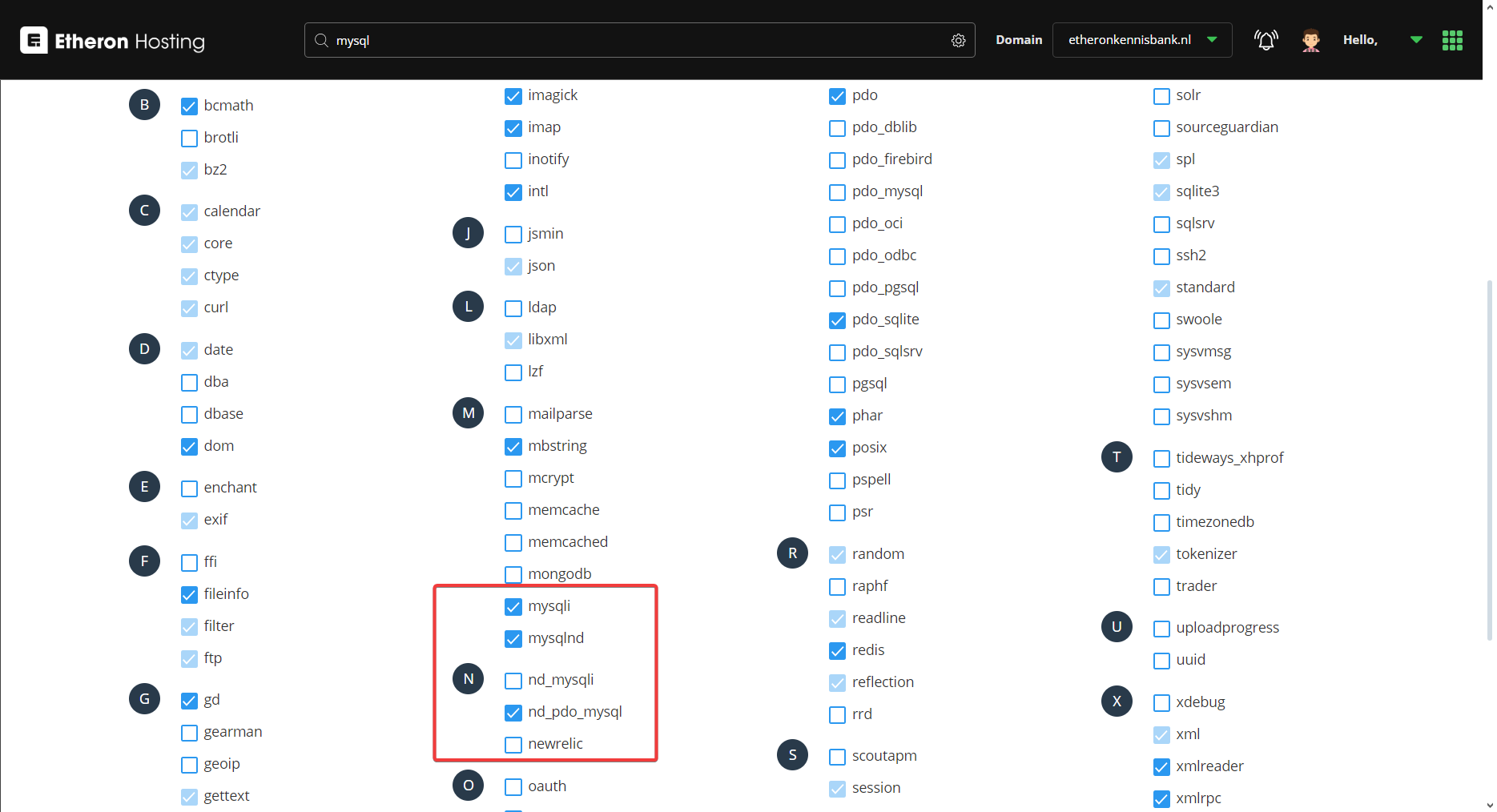
- First, deselect nd_mysqli and then select mysqli.
If you encounter any issues, feel free to reach out via Discord or create a support ticket through this link.
Lars
Updated on: 09/09/2026
Was this article helpful?