
How Do I Set Up rDNS on My VPS?
rDNS is also known as a PTR record. It links an IP address back to a domain name or hostname, for example mail.yourdomain.com.
In this article, we explain how to set up reverse DNS (rDNS) for your VPS IP address.
rDNS is also known as a PTR record. It links an IP address back to a domain name or hostname, for example mail.yourdomain.com.
Note: Make sure the hostname you enter also points to the IP address of your VPS. This is called forward DNS. Without correct forward DNS, rDNS may not work properly or may be rejected later.
What do you need?
- Access to the VPS panel via cloud.ping64.net
- An Etheron VPS
- A domain name or hostname that points to the IP address of your VPS
Setting up rDNS
-
Go to cloud.ping64.net and log in.
-
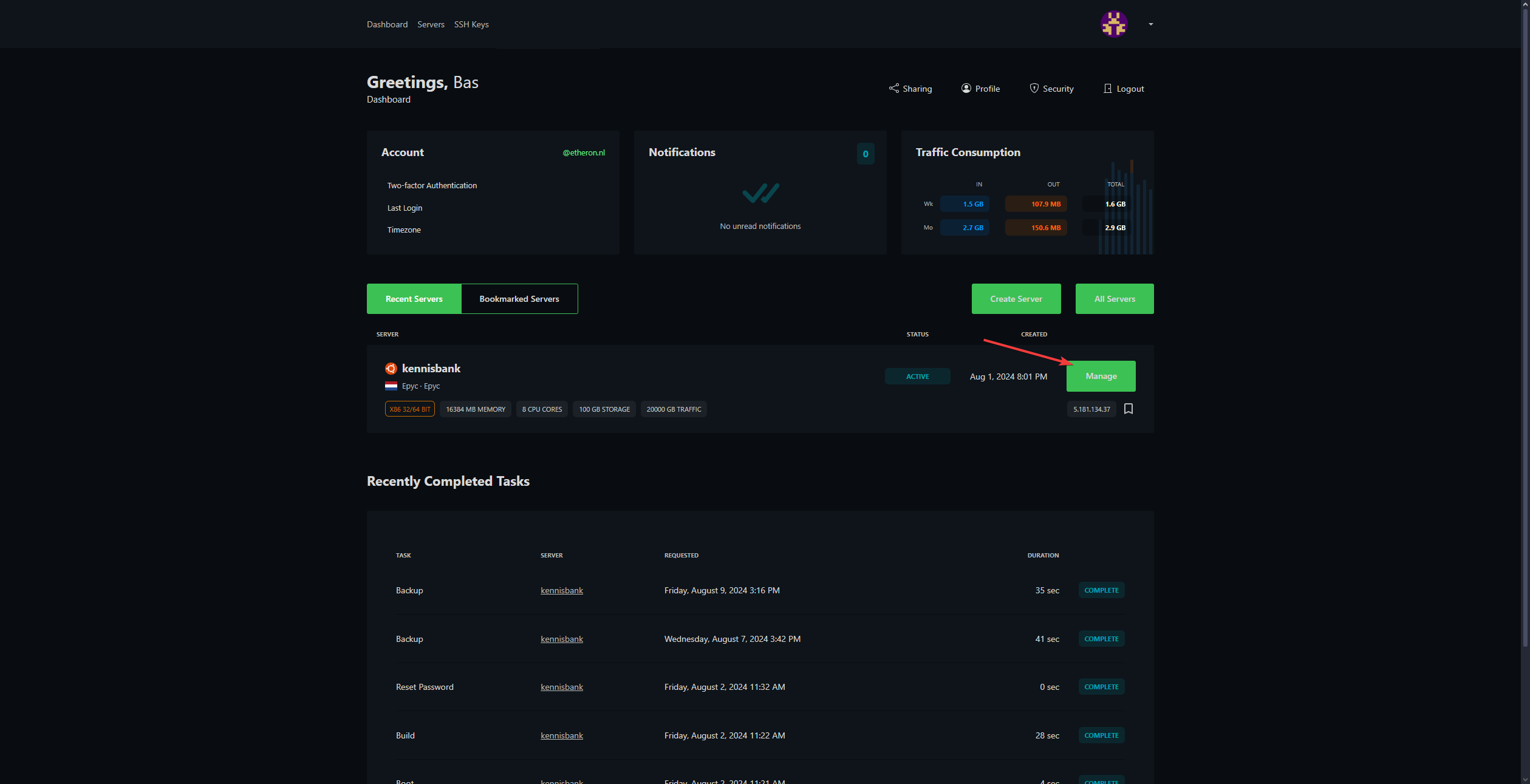
Choose the VPS you want to set up rDNS for and click Manage.
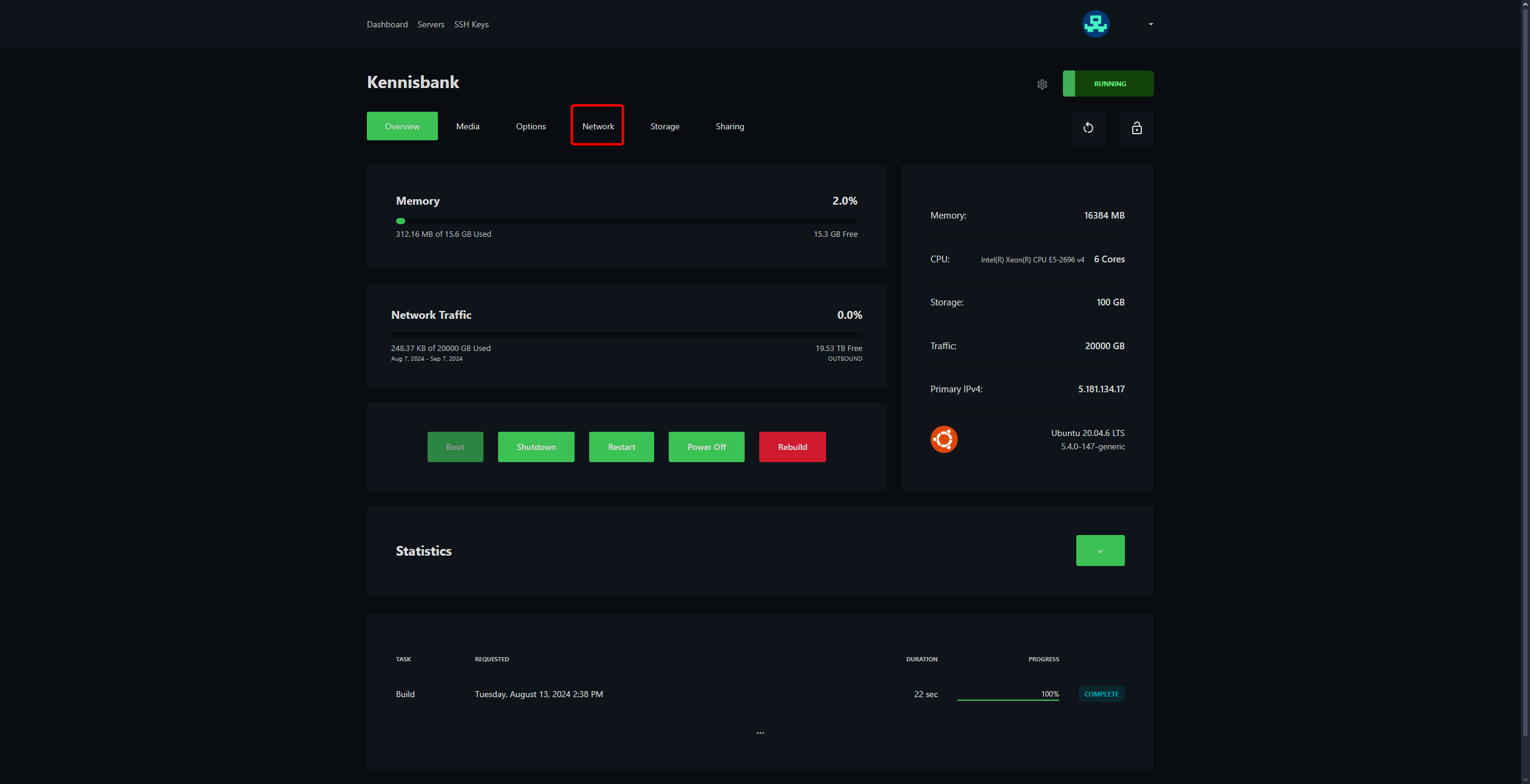
- Click Network at the top of the VPS panel.
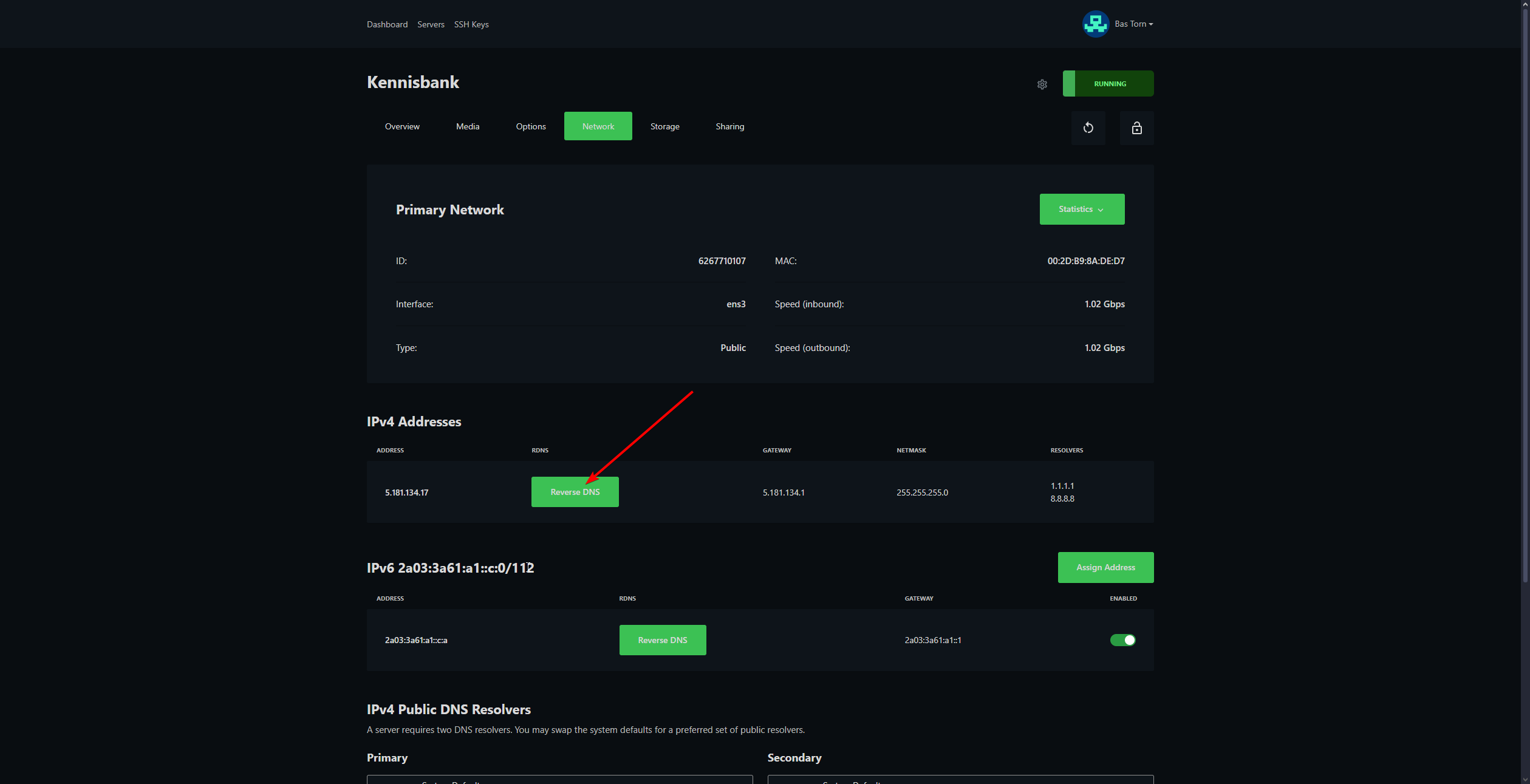
- Click Reverse DNS next to the IP address you want to configure.
In most cases, you set rDNS for your IPv4 address. Only use IPv6 if you also have a correct hostname and DNS records configured for it.
- Enter the domain name or hostname you want to use.
Example: mail.yourdomain.com
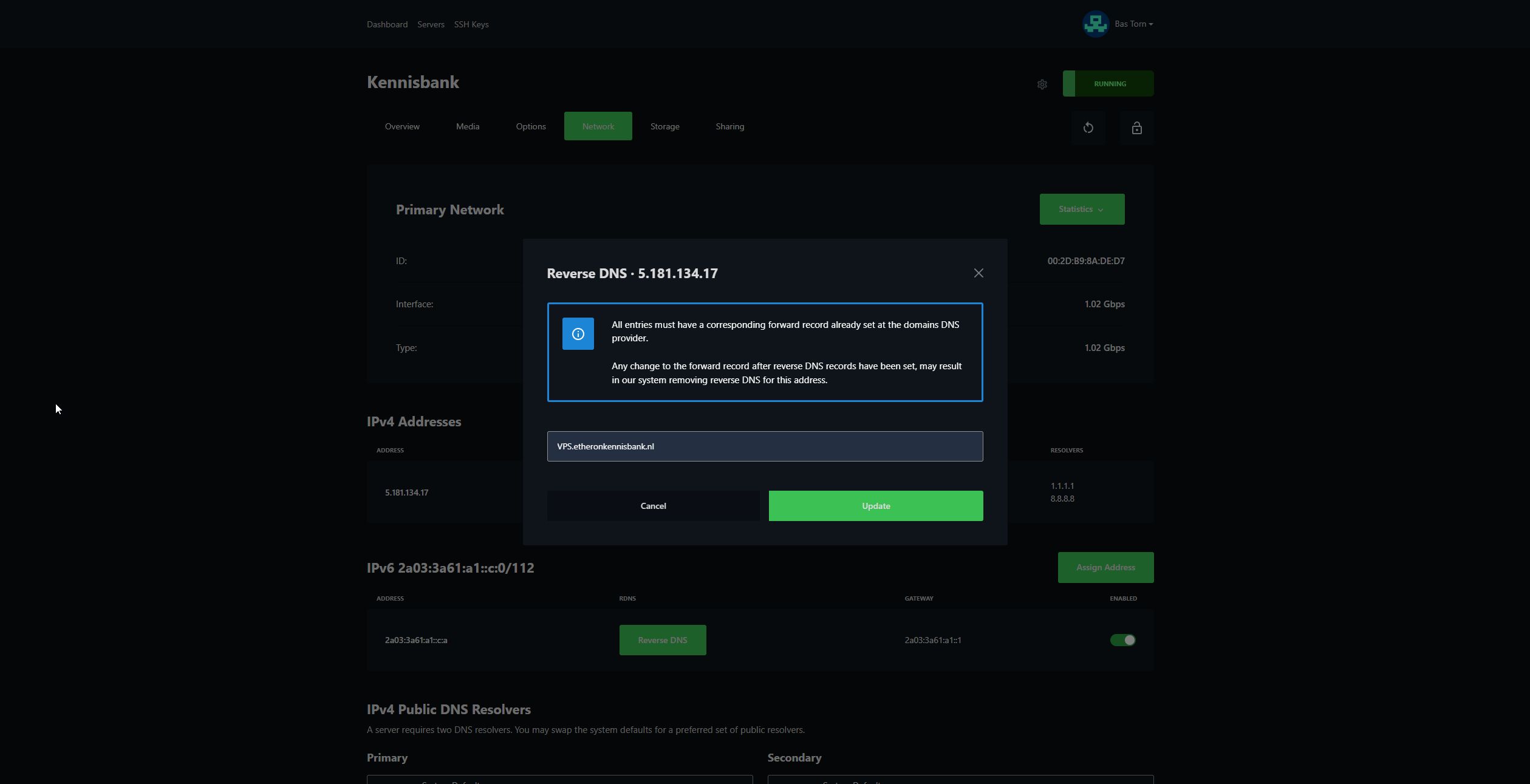
- Click Update to save the change.
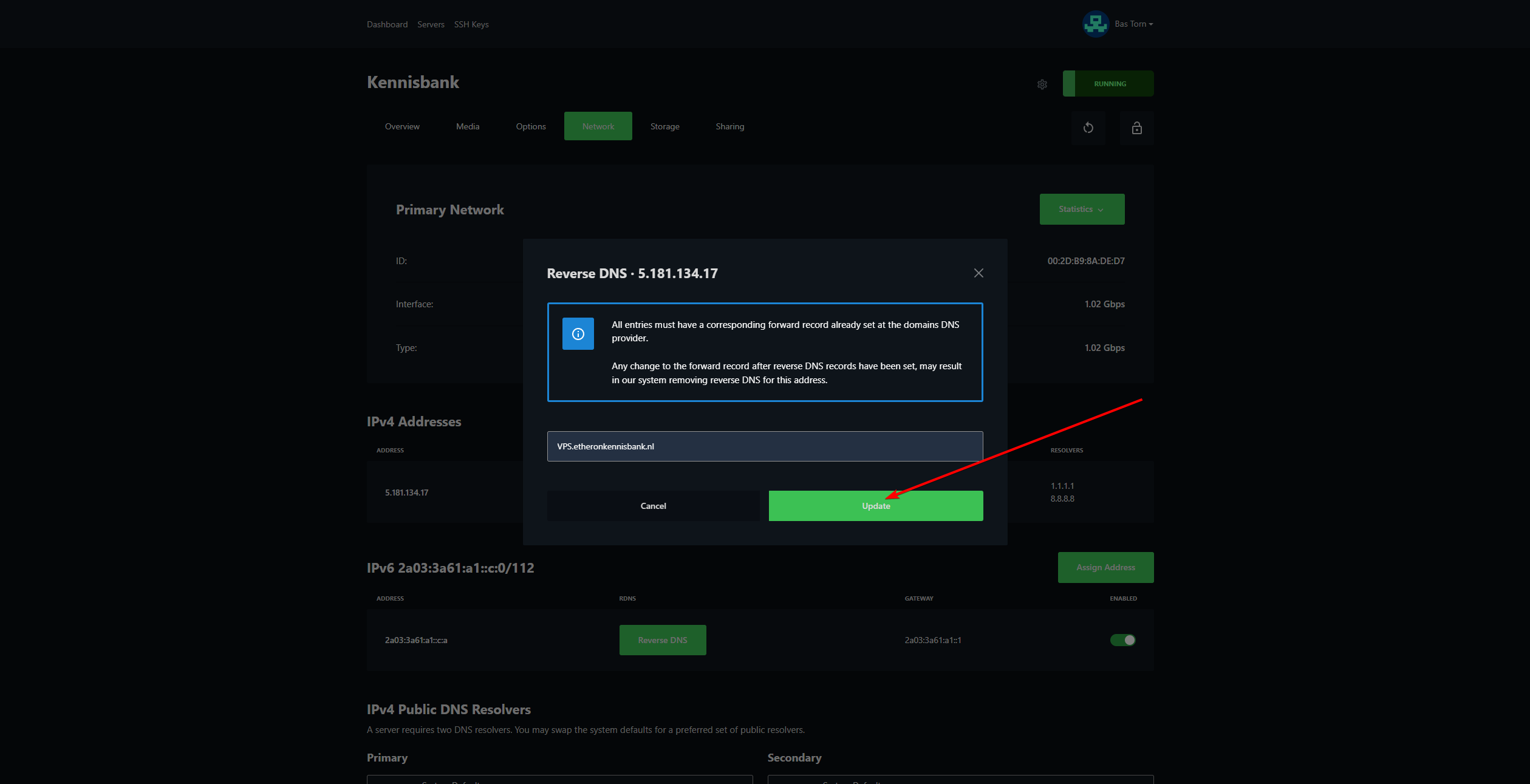
The rDNS record is now set. It can take up to 24 hours before the change is visible everywhere.
rDNS not working?
First, check the following:
- The hostname you entered actually exists.
- The hostname points to your VPS IP address using an A record or AAAA record.
- There are no typos in the domain name.
- You have waited long enough for DNS propagation.
If it still does not work, feel free to reach out via Discord or create a support ticket.