
How Do I Restore a Backup of My VPS?
In this article, we explain how to restore an available automatic VPS backup.
In this article, we explain how to restore an available automatic backup of your VPS through the VPS panel.
Note: Restoring a backup returns your VPS to the state it was in at the time that backup was created. Files, settings, or changes added after that backup may be lost.
What do you need?
- Access to the VPS panel via cloud.ping64.net
- A VPS with an available backup
Etheron automatically creates a backup of your VPS every night. These backups remain available for 14 days.
Restoring a backup
-
Go to cloud.ping64.net and log in.
-
Choose the VPS whose backup you want to restore and click Manage.
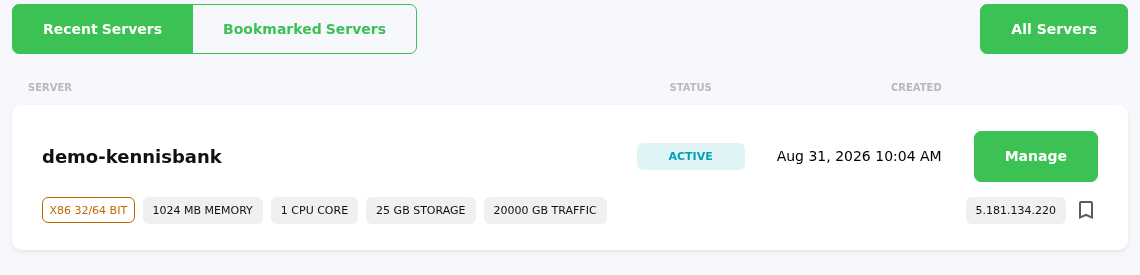
- Click Backups at the top of the VPS panel.
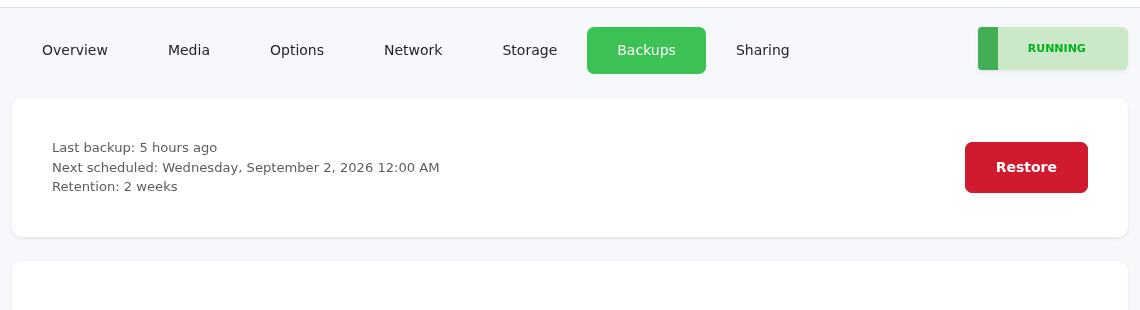
Here you can see which backups are available. You can also see when the last backup was created and when the next automatic backup is scheduled.
-
Click Restore next to the backup you want to restore.
-
Make sure you selected the correct backup and confirm the restore.
The panel will then start the restore task. Wait until this task has fully completed before using the VPS again.
No backup visible?
Do you see NO BACKUPS FOUND? Then there is currently no backup available for this VPS. This can happen if the VPS was created recently or if the first nightly backup has not run yet.
In that case, wait until after the next nightly backup. If the backup is still missing after that, create a support ticket and we will check it with you.
If restoring the backup does not work, feel free to reach out via Discord or create a support ticket.