
How to enable Remote Desktop?
Learn how to enable Remote Desktop with clear step-by-step instructions.
If you want to use Remote Desktop on your Windows server, follow this article.
-
Log in to your VPS with a VNC connection.
-
Open the Server Manager in Windows
-
Click Local Server
-
Click on the blue text Disabled next to Remote Desktop.
-
In the new window, check Allow remote connections to this computer and click OK.
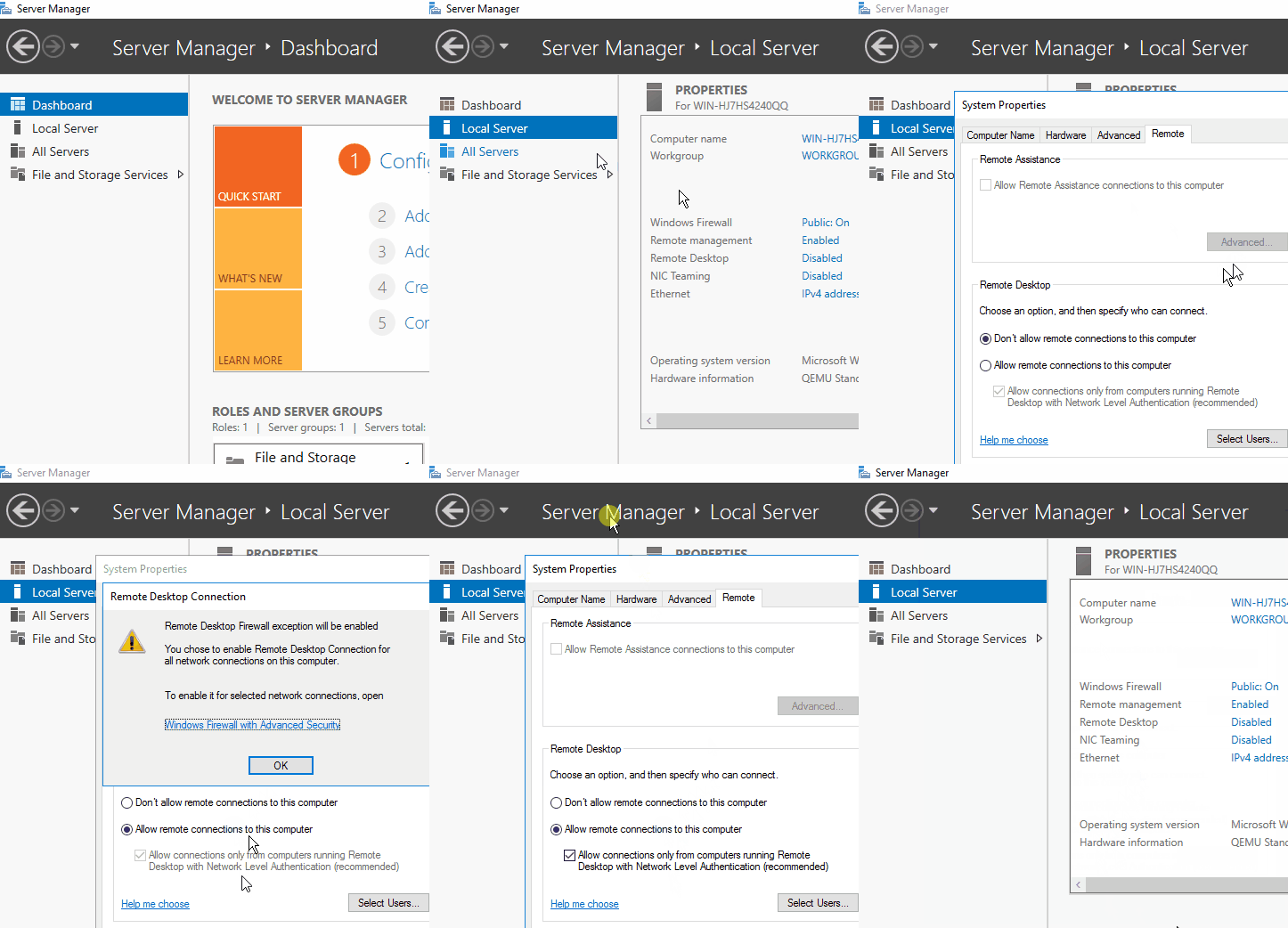
Remote Desktop is now enabled!
Lars
Updated on: 09/09/2026
Was this article helpful?