
How to Configure Windows Firewall?
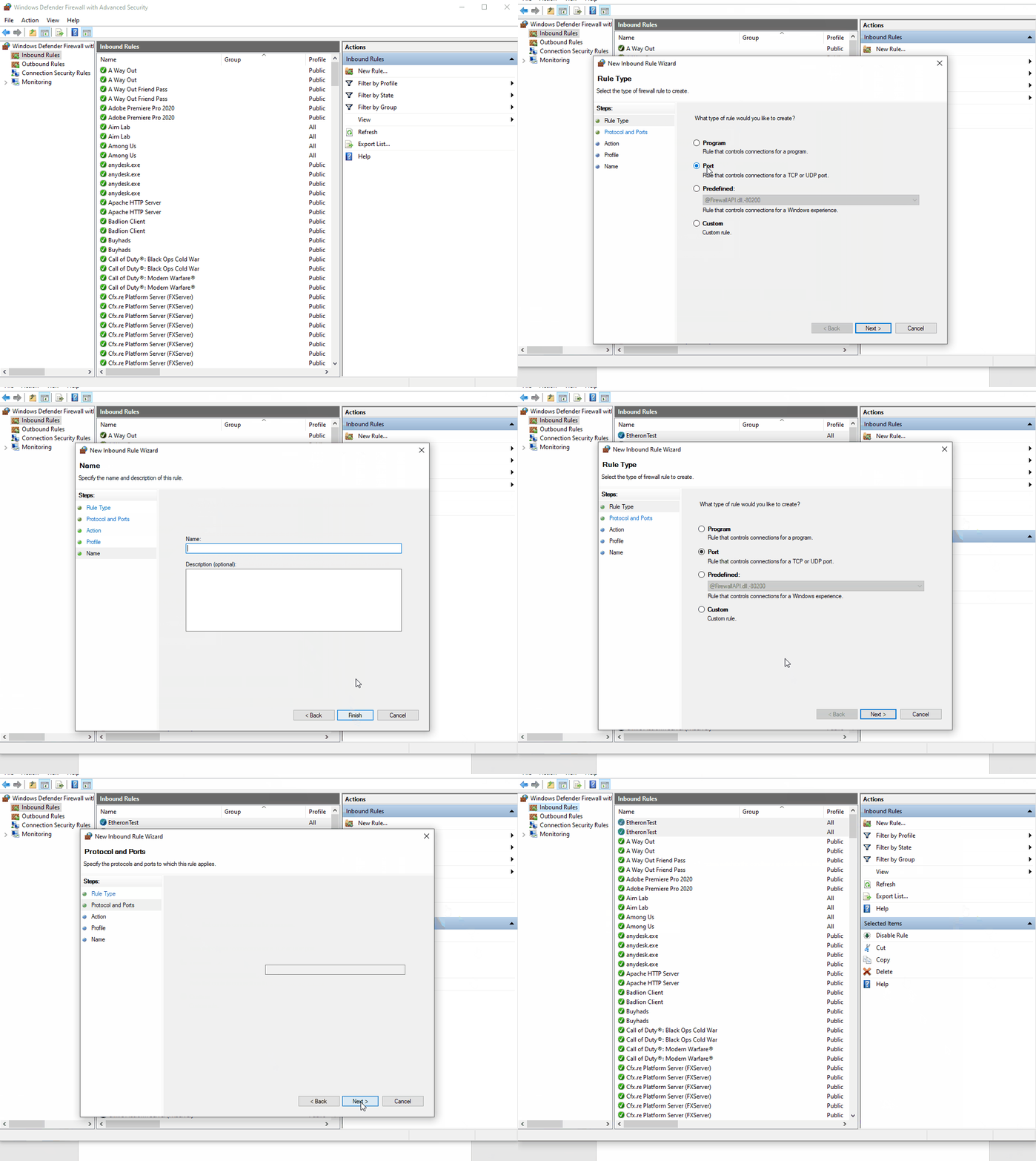
To add a port in Windows Firewall, do the following:
If you want to open a port in your Windows firewall but have no idea how to do it, follow this article!
To add a port in Windows Firewall, do the following:
-
You open Windows Defender Firewall.
-
You go to Advanced settings.
-
Then press Inbound Rules and do the following (you have to choose the port yourself!):
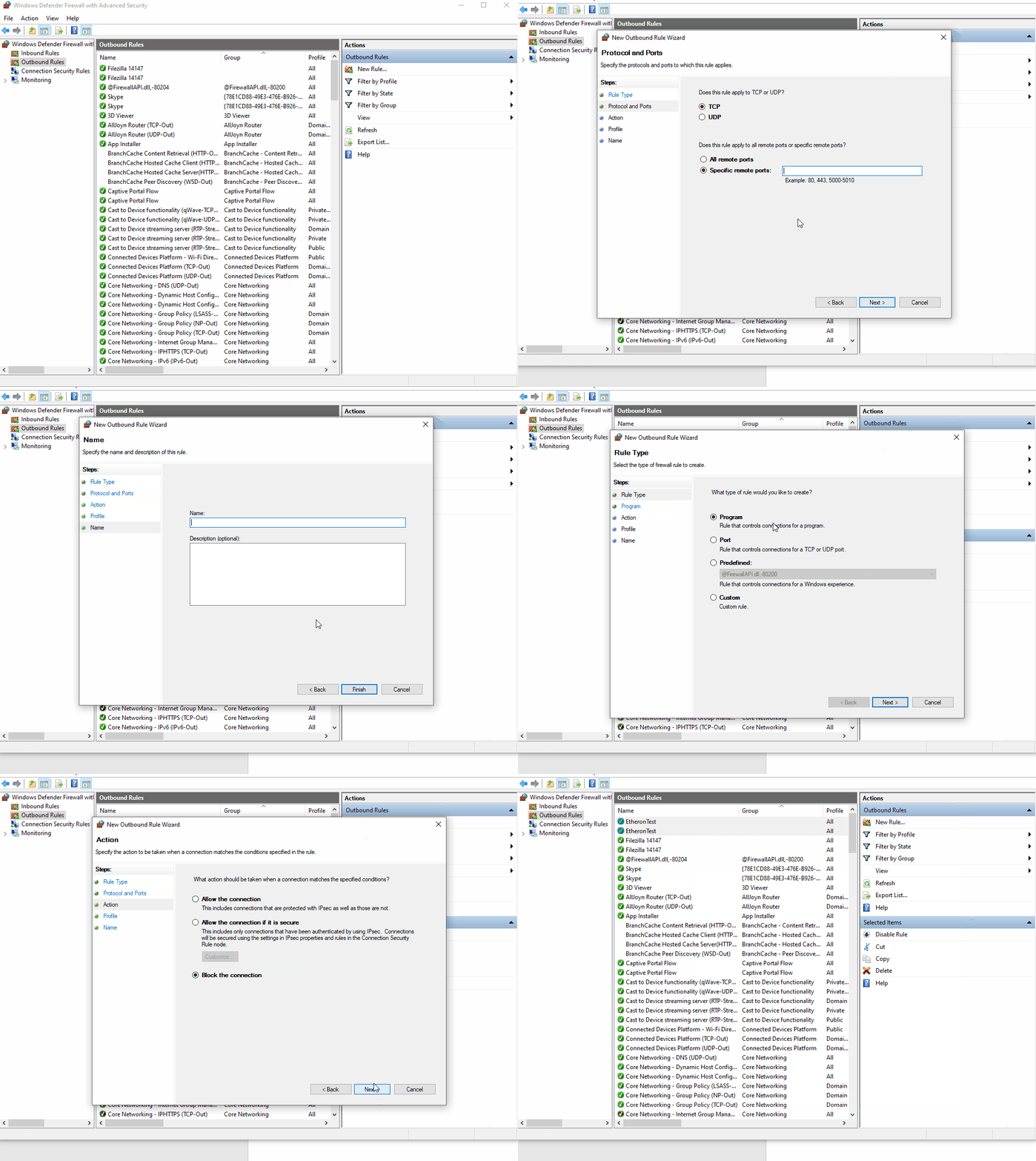
- Then press Outbound Rules and do the following (you have to choose the port yourself!):
Lars
Updated on: 09/09/2026
Was this article helpful?