
VPS Installation (Setup)
- Access to the VPS panel via cloud.ping64.net
In this article, we explain how to install your VPS and prepare it for use in the VPS panel.
Note: Are you installing or reinstalling a VPS? Existing data on the VPS may be removed. Make a backup first if the VPS already contains important files.
What do you need?
- Access to the VPS panel via cloud.ping64.net
- A VPS that is ready to be installed
- Optionally, an SSH key if you want to use SSH key authentication
Installing your VPS
- Go to cloud.ping64.net and log in.
- Choose the VPS you want to install and click Manage.
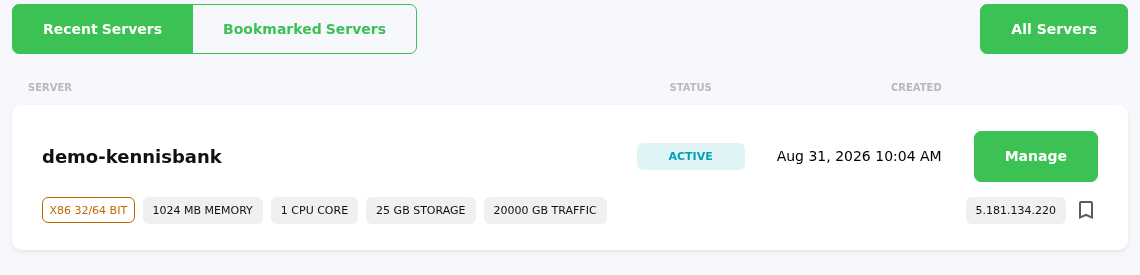
- Enter a recognizable name for your VPS under Name.
- Optionally enter a Hostname. This is not required.
- Choose the correct Timezone, for example Europe/Amsterdam.
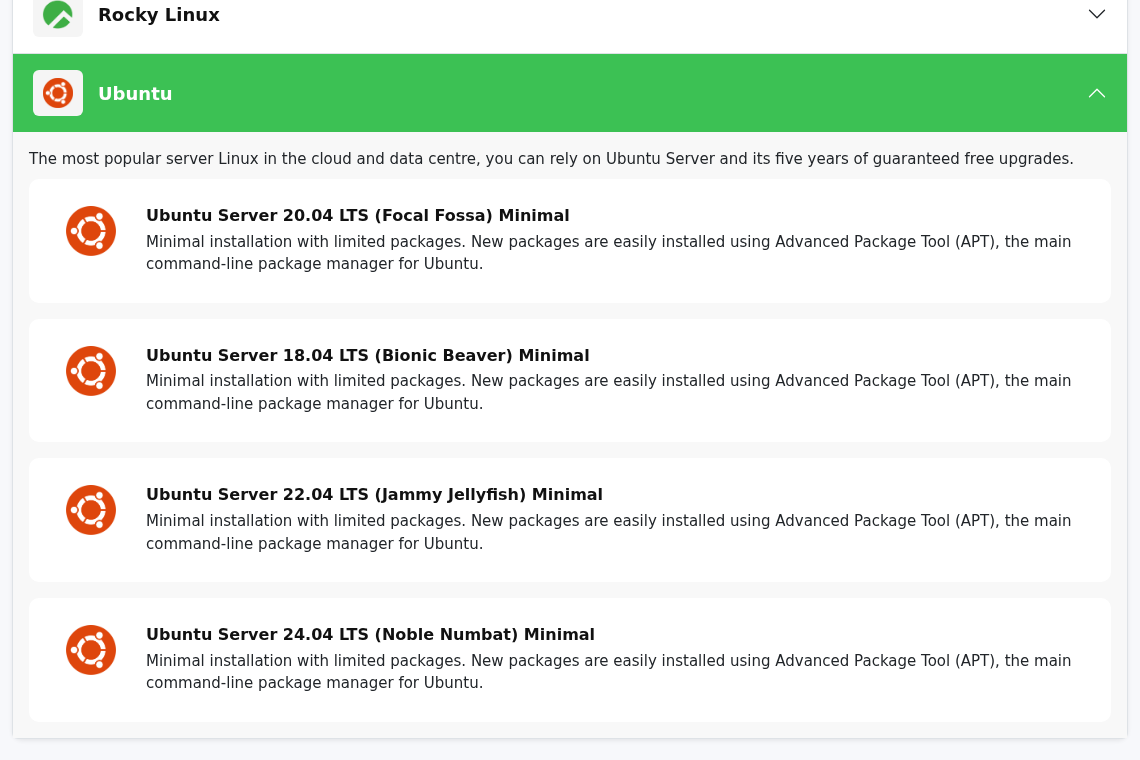
- Under Operating System, choose the operating system you want to install.
In this example, we choose Ubuntu Server 24.04 LTS (Noble Numbat) Minimal.
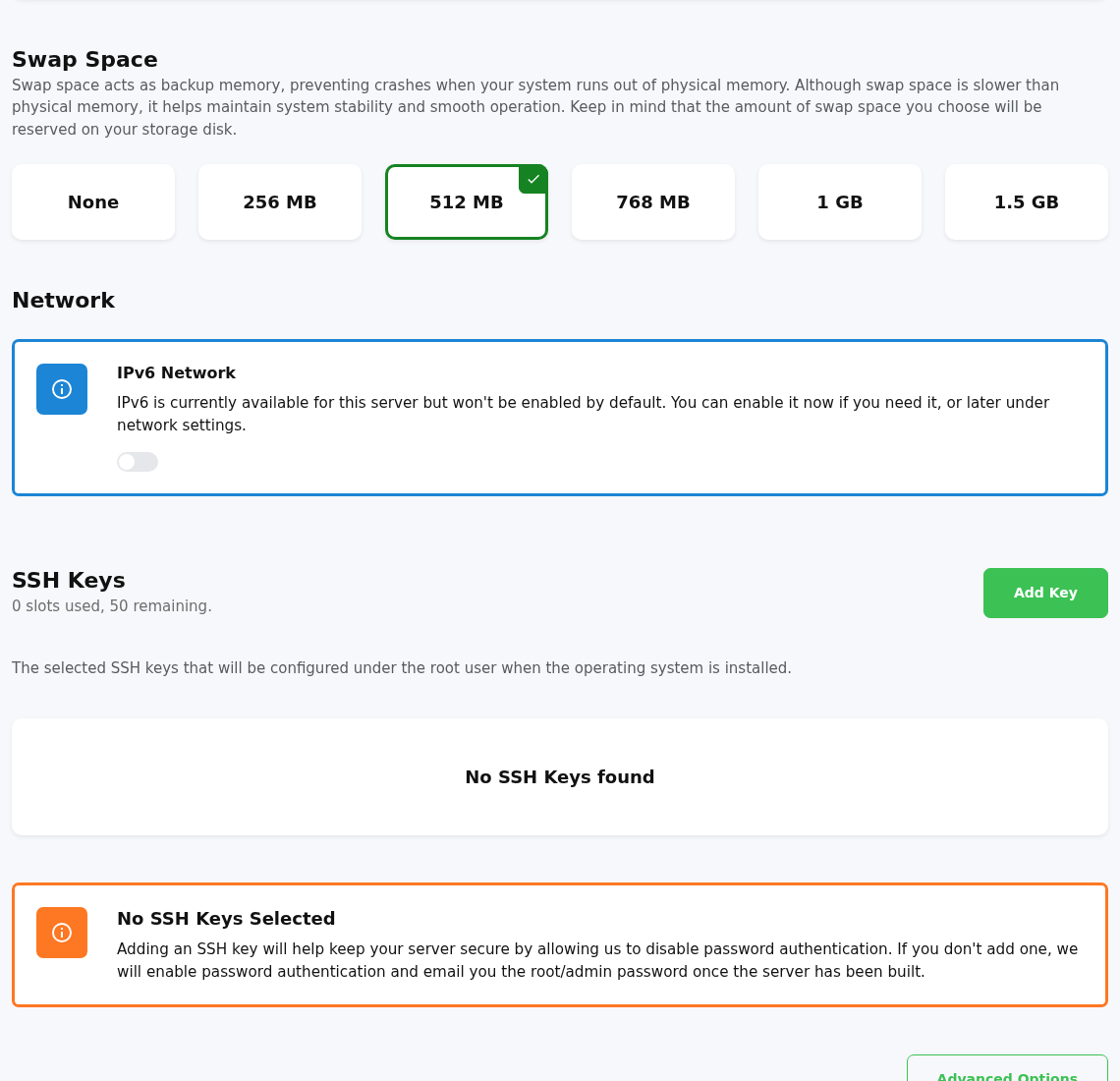
- Choose how much Swap Space you want to use. Swap is extra memory on the disk. In most cases, 512 MB or 1 GB is enough.
- Choose whether you want to enable IPv6 Network right away. You can also enable IPv6 later in the network settings of your VPS.
- Optionally add an SSH Key. If you do not use an SSH key, password login will be used and the root password will be sent to you by email after the installation.
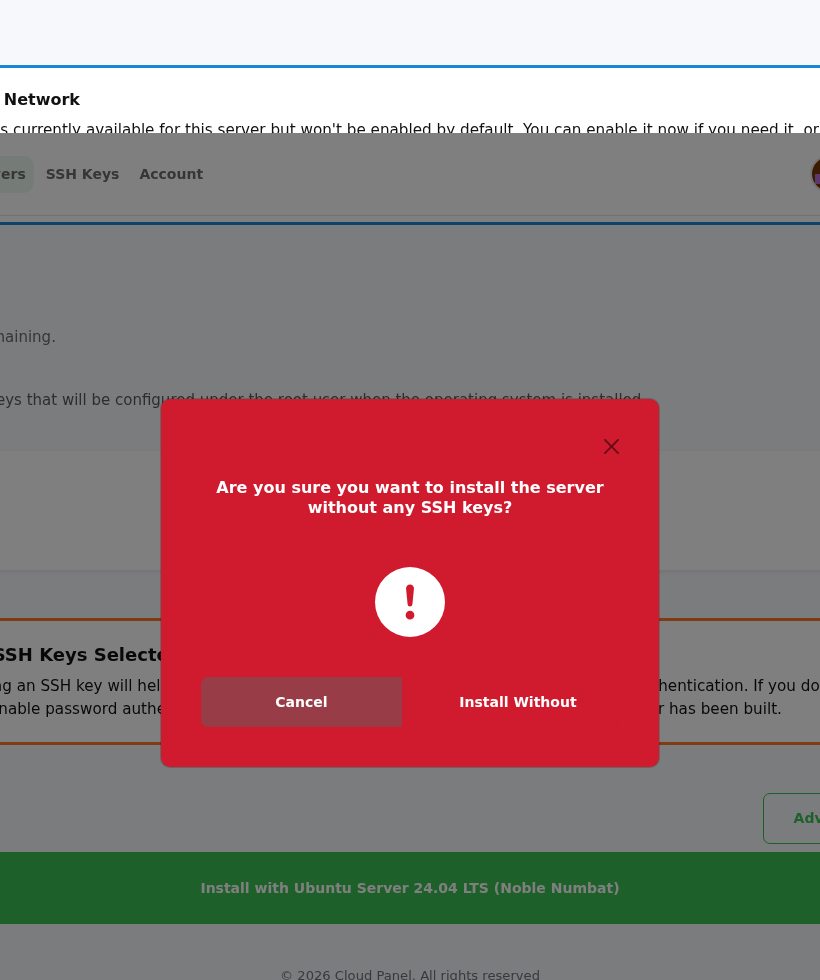
- Click Install with ... to start the installation. The button shows the name of the selected operating system, for example Install with Ubuntu Server 24.04 LTS (Noble Numbat).
- If you are not using an SSH key, you will see a warning. Click Install Without to continue.
- The VPS will now be installed. This may take a few minutes.
- Once the installation is complete, you will receive an email with the login details for your VPS.
- When the VPS status is RUNNING, your VPS is ready to use.
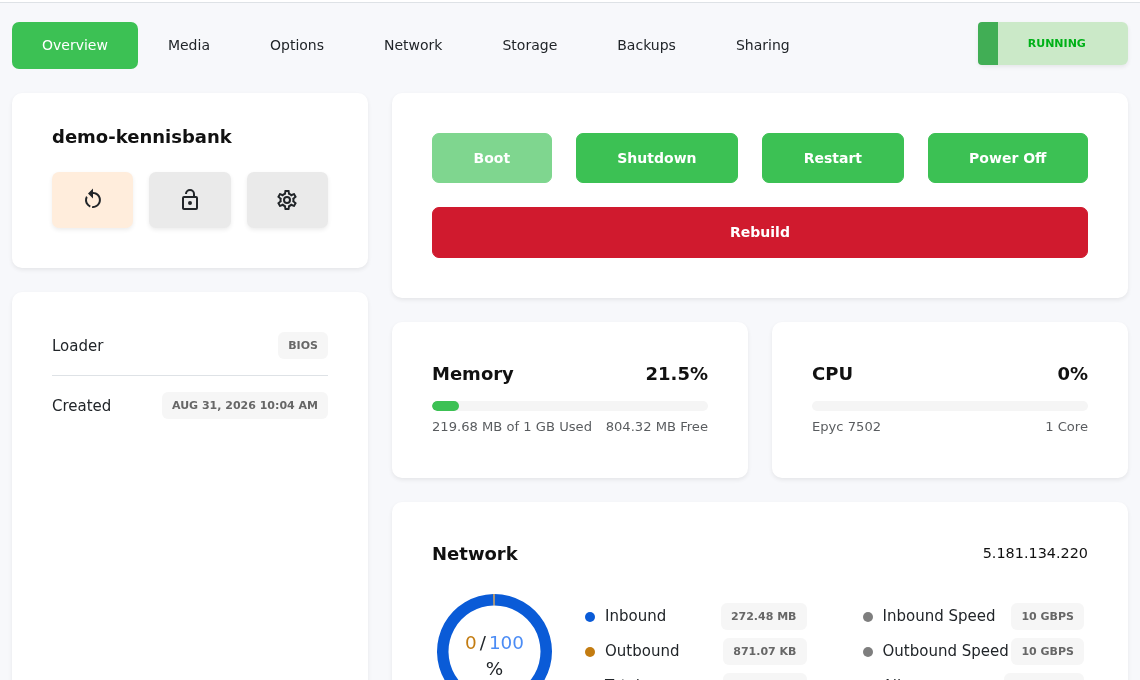
After installation
After the installation, you can manage your VPS through the following sections in the VPS panel:
- Overview: view the status, usage and basic actions such as restart or power off
- Media: use ISOs or a custom CD/DVD
- Options: manage VNC, rescue mode, password reset and settings
- Network: manage IPv4, IPv6, DNS resolvers and rDNS
- Storage: view storage
- Backups: view or create backups if this is available for your service
- Sharing: grant access to another user
If you encounter any issues, feel free to reach out via Discord or create a support ticket.
Lars
Updated on: 09/09/2026
Was this article helpful?