
How Do VPS Backups Work?
In this article, we explain how the free VPS backups work and where to find them.
In this article, we explain how the free VPS backups work and where to find them in the VPS panel.
Note: creating a manual backup is not available. Etheron automatically creates a backup of your VPS every night. These backups are kept for 14 days.
What do you need?
- Access to the VPS panel via cloud.ping64.net
- An Etheron VPS
Viewing your backups
-
Go to cloud.ping64.net and log in.
-
Choose the VPS whose backups you want to view and click Manage.
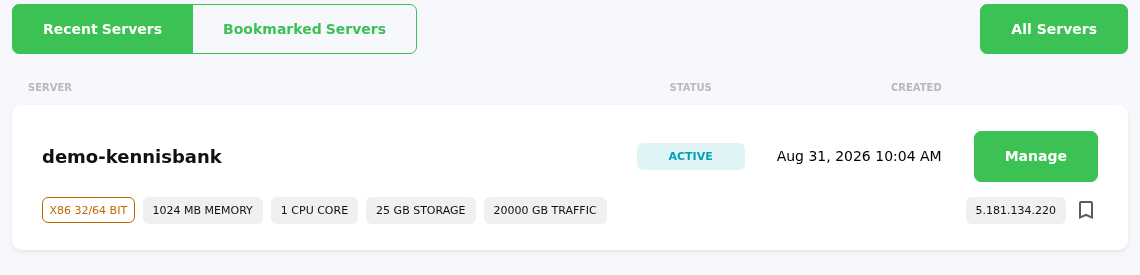
- Click Backups at the top of the VPS panel.
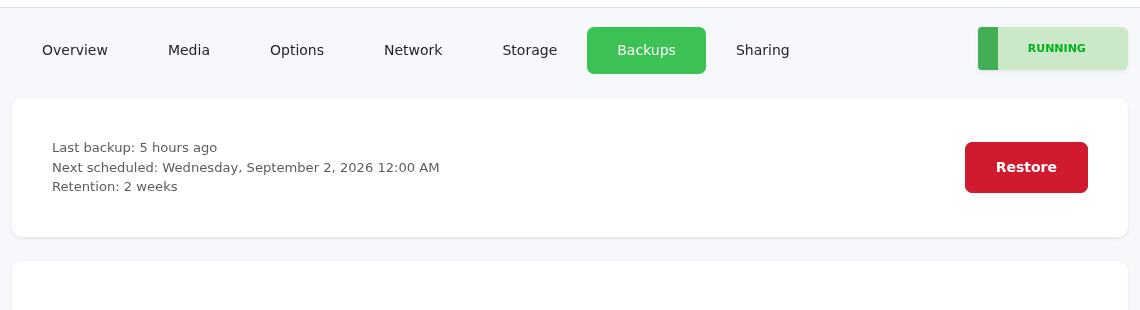
On this page, you can see:
- when the last backup was created;
- when the next scheduled backup will be created;
- how long backups are kept;
- which backups are available for restore.
How often is a backup created?
Etheron automatically creates a backup of your VPS every night. You do not need to enable or start this manually.
How long are backups available?
VPS backups remain available for 14 days. After that, older backups are automatically replaced by newer backups.
No backups visible?
Do you see NO BACKUPS FOUND? Then there is currently no backup available for this VPS. This can happen if the VPS was created recently or if the first nightly backup has not run yet.
In that case, wait until after the next nightly backup. If the backup is still missing after that, create a support ticket and we will check it with you.
Restoring a backup
Do you want to restore an available backup? Use the restore option on the Backups page. Please note: restoring a backup may overwrite existing data on your VPS.
If you encounter any issues, feel free to reach out via Discord or create a support ticket.