
How do I extend the Windows Server 2016/2019 trial period?
This will renew the trial period for 180 days. You can run this command again at the next expiration date.
If you want to extend the trial period of your Windows Server 2016/2019, follow these steps.
-
Click on the Windows logo at the bottom left and search for powershell
-
In powershell, type: slmgr -rearm and press ENTER
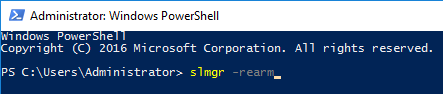
This will renew the trial period for 180 days. You can run this command again at the next expiration date.
- Restart the VPS
Windows has now been extended by 180 days.
Lars
Updated on: 09/09/2026
Was this article helpful?