
How to Set a Password for Your Valheim Server
Learn how to Set a Password for Your Valheim Server with clear step-by-step instructions.
If you want to set a password for your Valheim server, follow these instructions:
-
Navigate to your desired Valheim server on the game panel.
-
You can find all server settings under Startup, where you’ll also be able to change the password.
-
Change your password under the section: SERVER PASSWORD.
-
Restart the server.
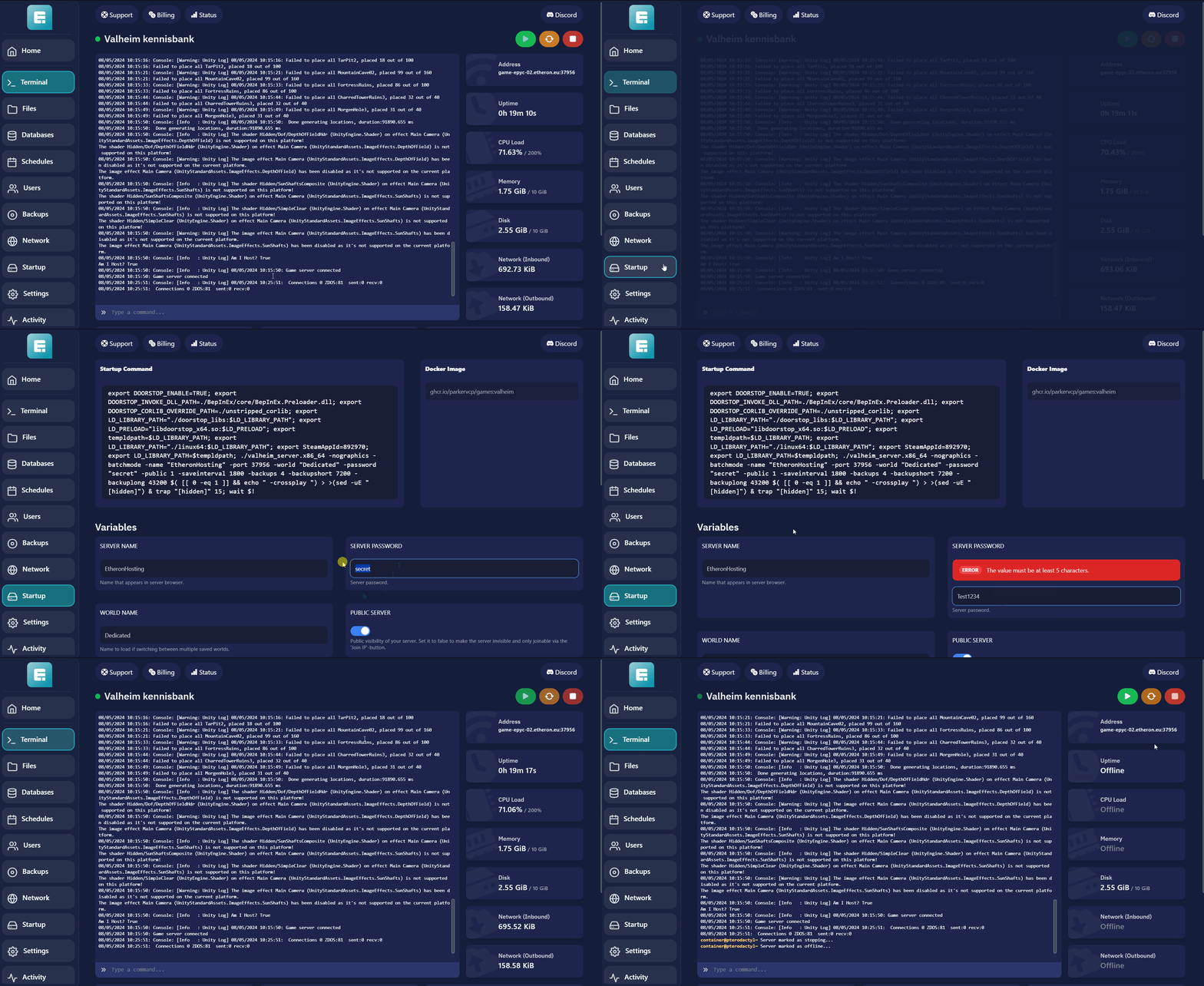
Once you've made this change, the server will automatically save it. After restarting, your new password will be active!If you encounter any issues, feel free to reach out via Discord or create a support ticket through this link.
Lars
Updated on: 09/09/2026
Was this article helpful?