
How to Change the Name of a Valheim Server?
To easily find your Valheim server in the server list, it’s useful to change the server's hostname. Here's how:
To easily find your Valheim server in the server list, it’s useful to change the server's hostname. Here's how:
Go to the game panel and select your desired Valheim server.
Startup Parameters
Under the Startup Parameters, you can adjust multiple settings for your Valheim server. This is where you can also change the hostname. Navigate to Startup to access these settings.
Enter your desired server name under Server Name. It will automatically be saved once you’ve made the change.
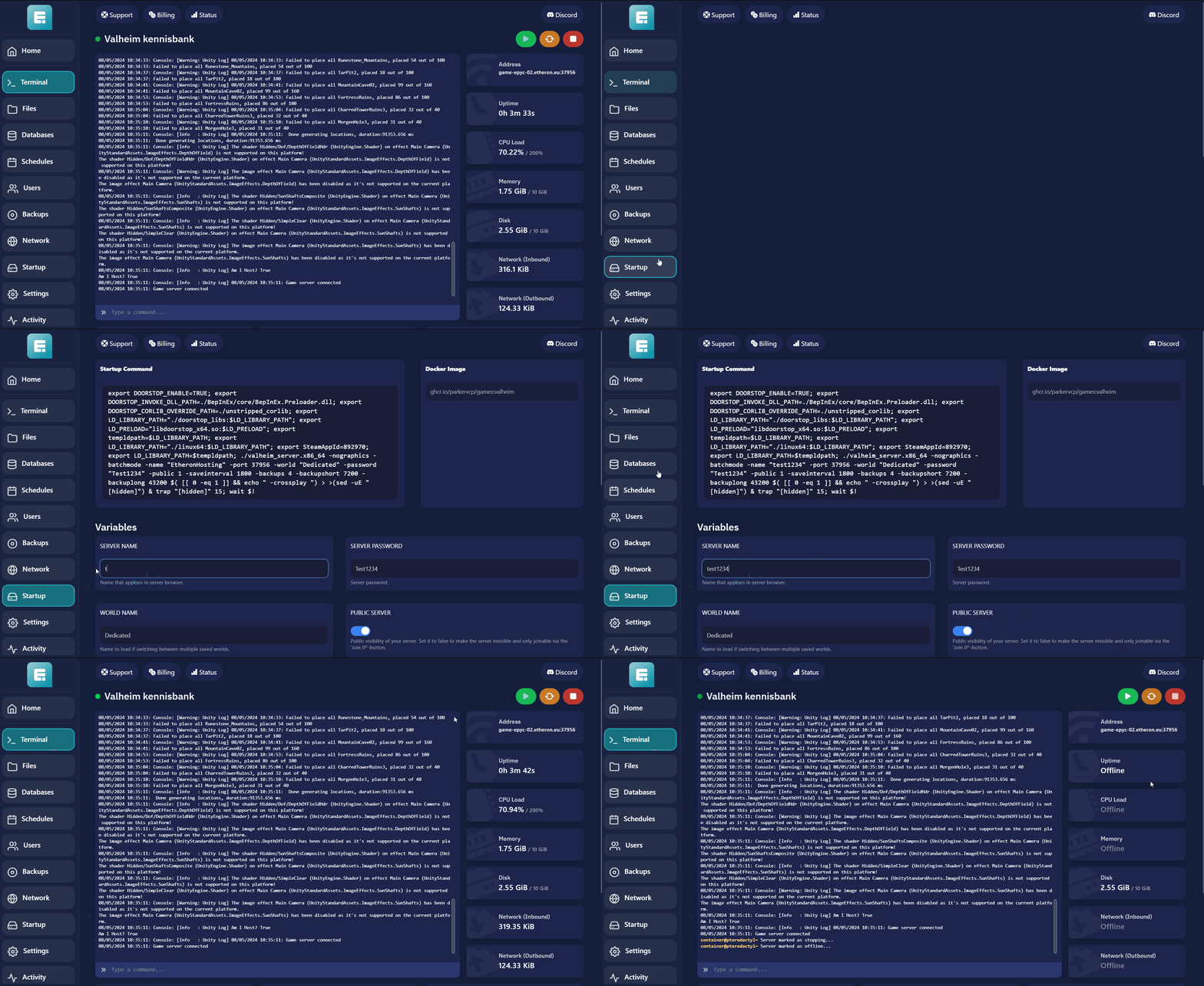
Now, you just need to restart the server. After the restart, it might take a few minutes for your server to appear in the list.
If you encounter any issues, feel free to reach out via Discord or create a support ticket through this link.