
How do I reduce lag on my Valheim Server?
Here we explain how you can reduce lag on your Valheim server.
-
Go to the game panel, log in, and navigate to your desired server.
-
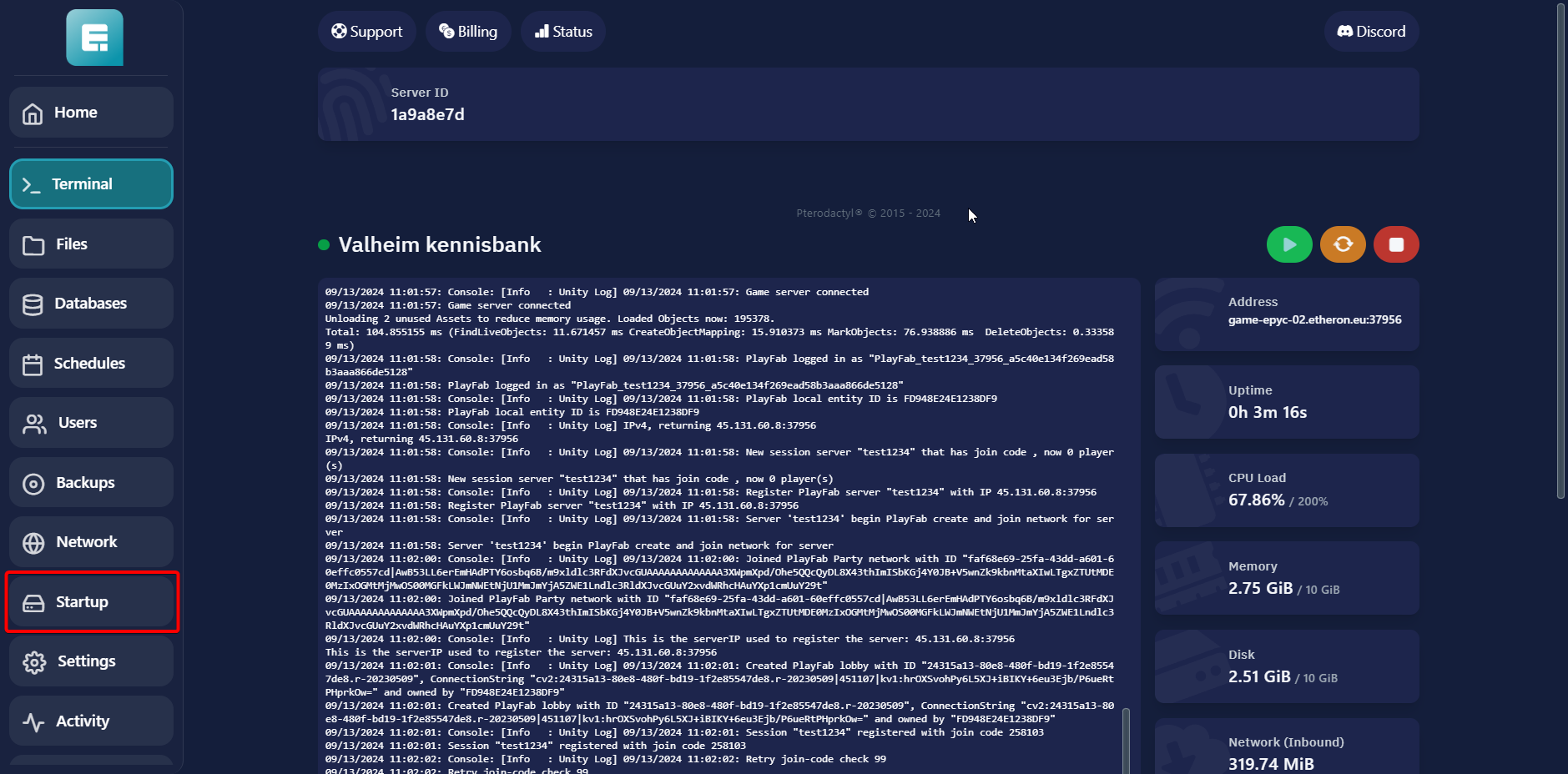
Click on Startup.
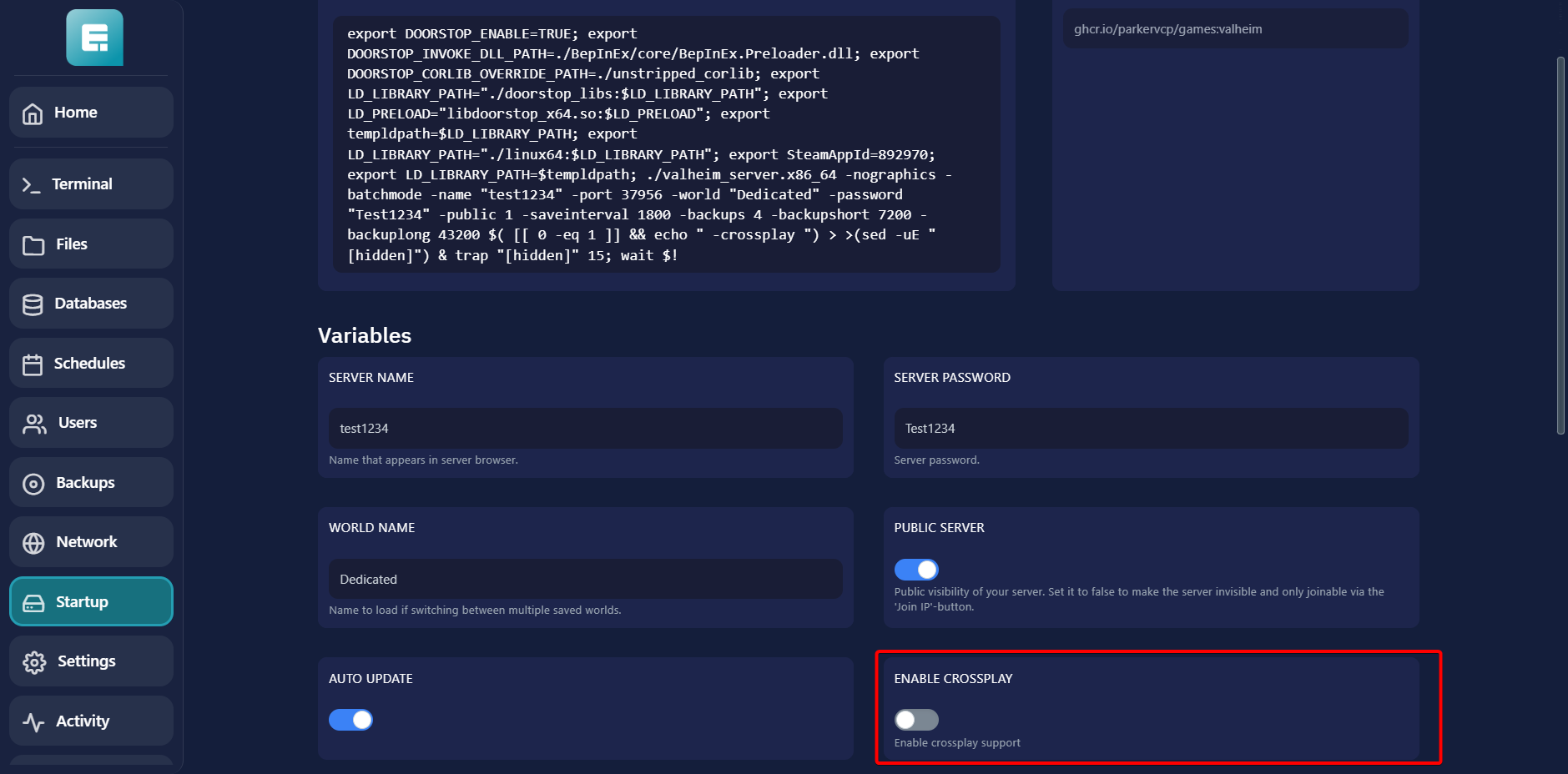
- Scroll down slightly and disable the option ENABLE CROSSPLAY.
- Restart the server.
If you encounter any issues, feel free to reach out via Discord or create a support ticket through this link.
Lars
Updated on: 09/09/2026
Was this article helpful?