
How do I Automatically restart my Game server?
For example, to restart every day at 1 AM.
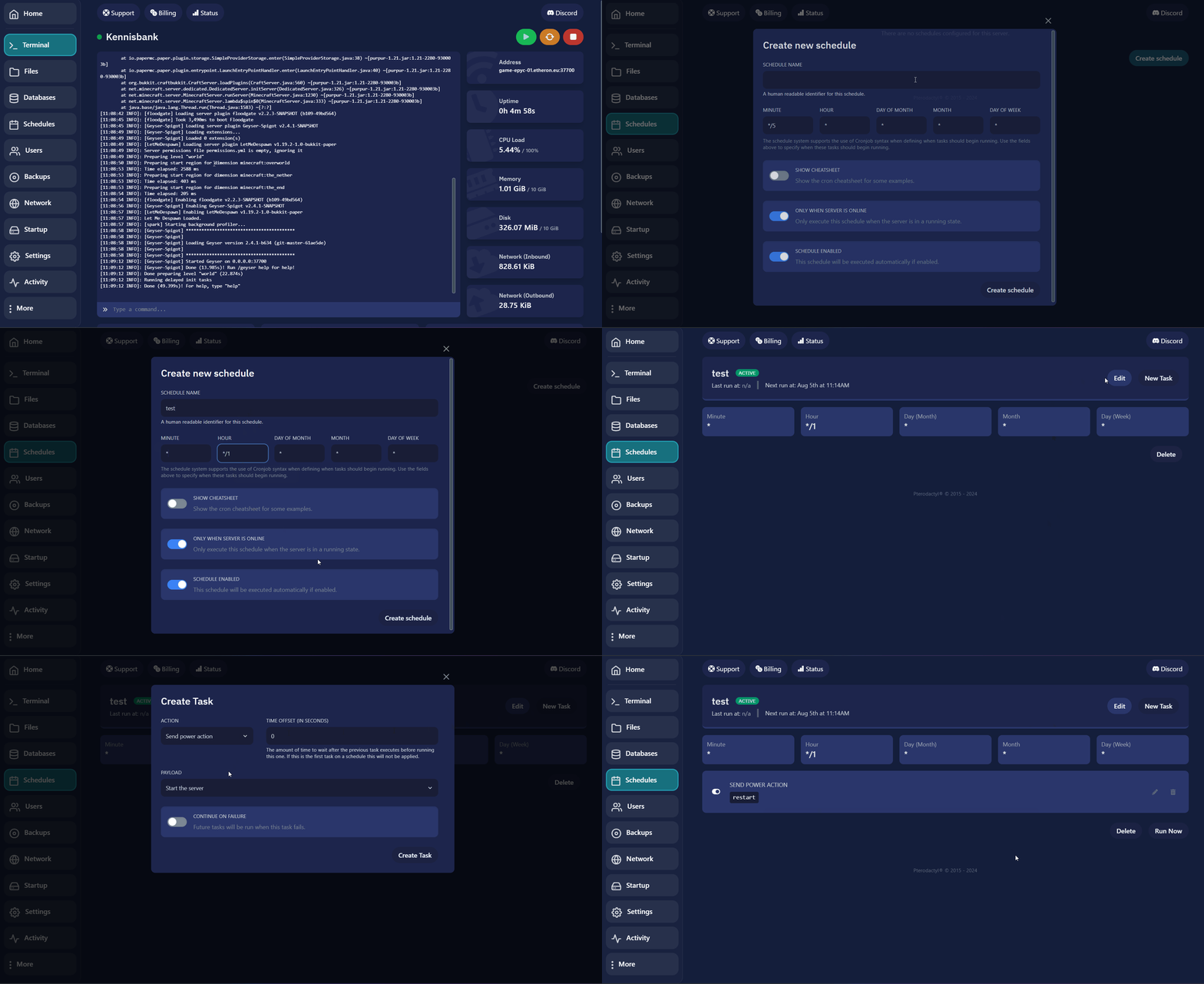
Here’s a guide on how to set up an automatic restart for your game server.
-
Go to your desired server on the game panel.
-
Click on Schedule on the left side of the screen.
-
Click on Create Schedule.
-
Enter the desired schedule details.
For example, to restart every day at 1 AM.
enter: * */1 * * *
-
Click on New Task in the created schedule.
-
Change ACTION to POWER ACTION.
-
Change the PAYLOAD from Start the server to Restart the server.
-
Click on Create Task.
If you encounter any issues, feel free to reach out via Discord or create a support ticket through this link.
Lars
Updated on: 09/09/2026
Was this article helpful?