
How do I add a subuser to my Game Panel?
If you encounter any issues, feel free to reach out via Discord or create a support ticket through this link.
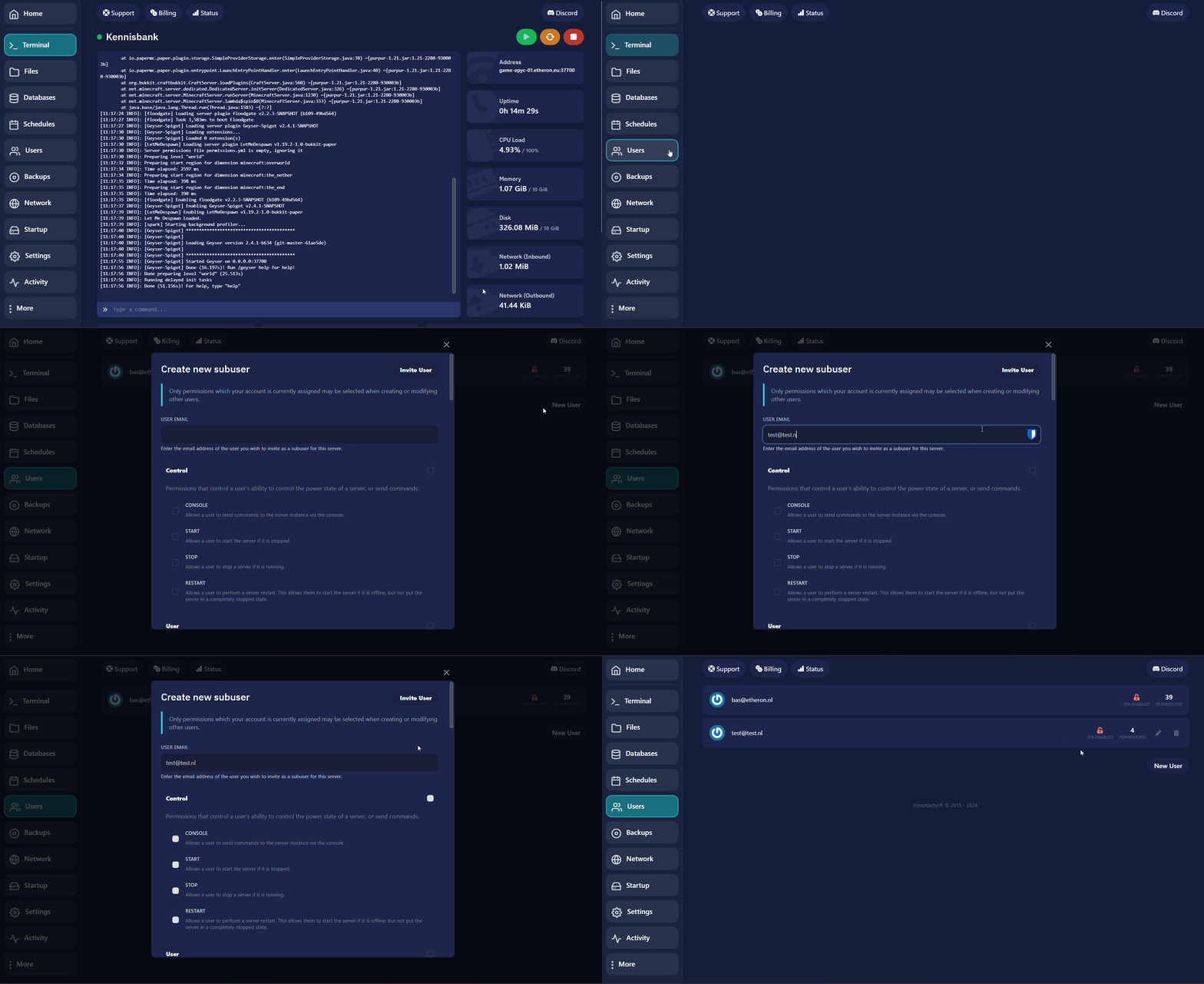
Here’s how you can add a subuser to your server on the game panel:
-
Open your game panel.
-
Click on Users, then select New User.
-
Enter the email of the other user in the appropriate field.
-
Assign the desired permissions to the subuser based on what access you want to grant.
-
Click on Invite User to send the invitation.
If you encounter any issues, feel free to reach out via Discord or create a support ticket through this link.
Lars
Updated on: 09/09/2026
Was this article helpful?