
How do I join my Minecraft server?
Want to join a Bedrock server? Click here for more information!
How to Join Your Minecraft Server
-
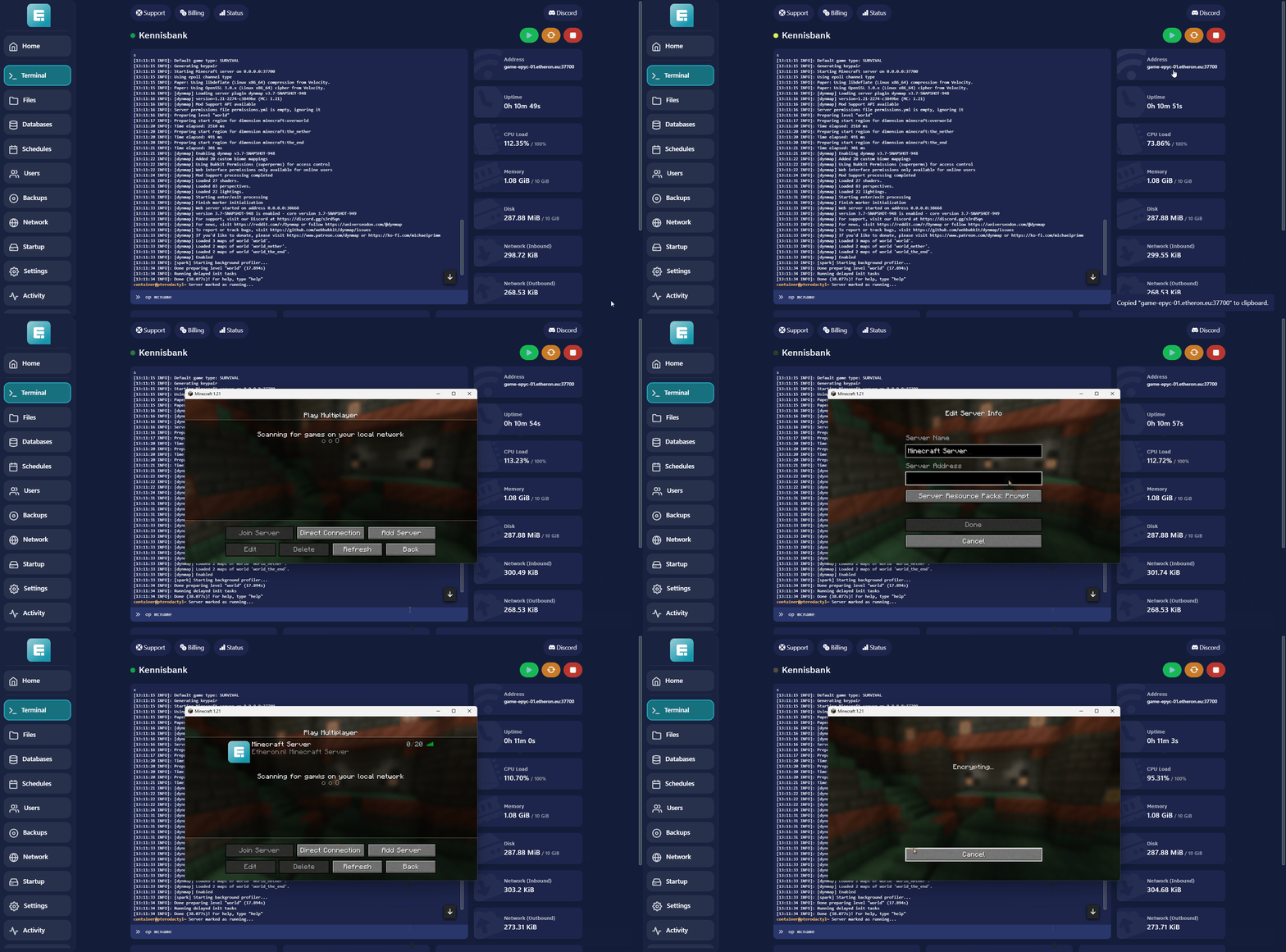
Navigate to your desired server on the game panel.
-
Look for Address in the right-hand panel.
-
Copy the IP address with the port and paste it into Minecraft. (You can do this by left-clicking on the address.)
Want to join a Bedrock server? Click here for more information!
If you encounter any issues, feel free to reach out via Discord or create a support ticket through this link.
Lars
Bijgewerkt op: 09-09-2026
Was dit artikel nuttig?